You can use the pay run process to pay your contractors and subcontractor - it's simple to setup and convenient.
If you are unsure whether the person you have hired is a contractor or an employee, see the guidelines from CRA.
Once you have determined that you have contractors, here's how to enroll your subcontractor and perform a pay run for them.
Subcontractor/Contractor setup
To pay your subcontractors and contractors you'll first set them up in your payroll profile. .
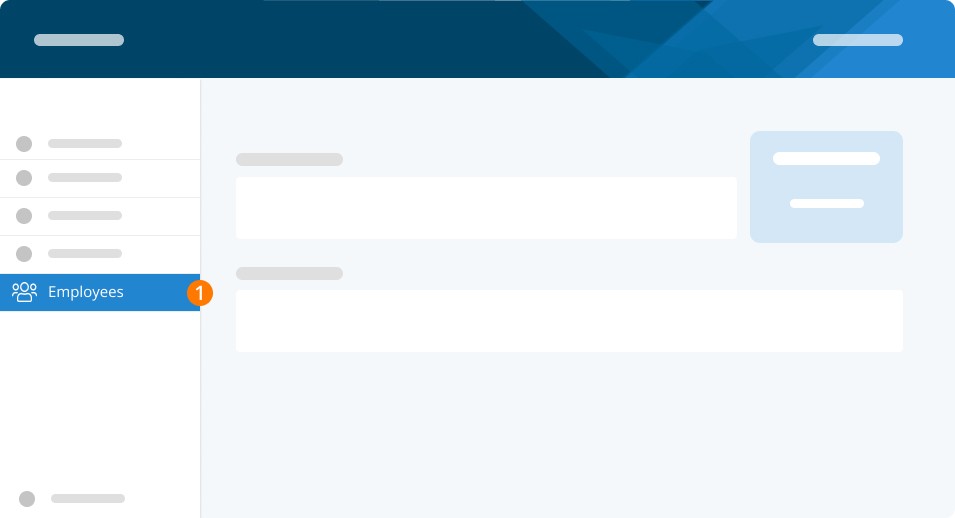
Step 1. Select Employees tab from left-hand menu.
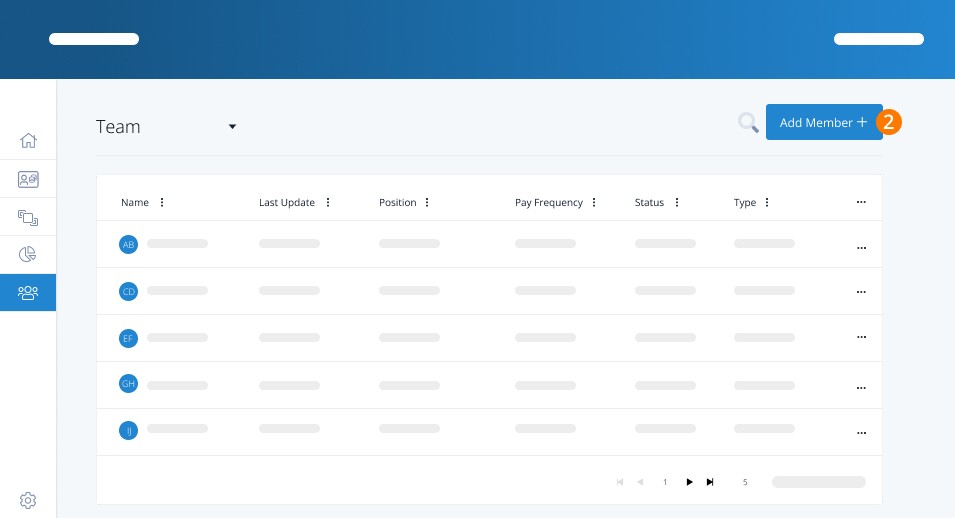
Step 2. Click Add Member +.
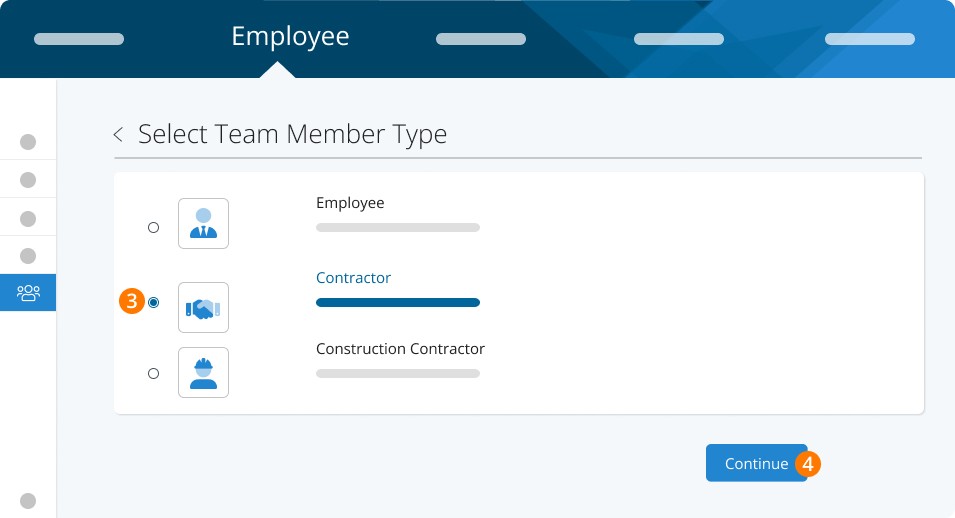
Step 3. Choose Contractor or Construction Contractor from the Team Member Type List.
Step 4. Click Continue.
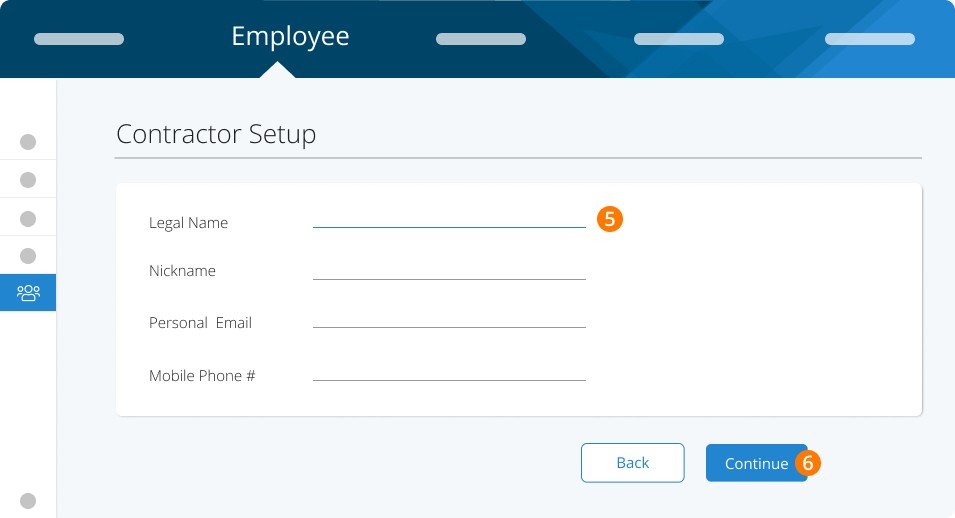
Step 5. Enter the pertinent details for this subcontractor - Name, email and mobile Phone #.
Step 6. Click Continue.
Step 7. Invite them to PayChequer via email or SMS.
Step 8. Click Continue.
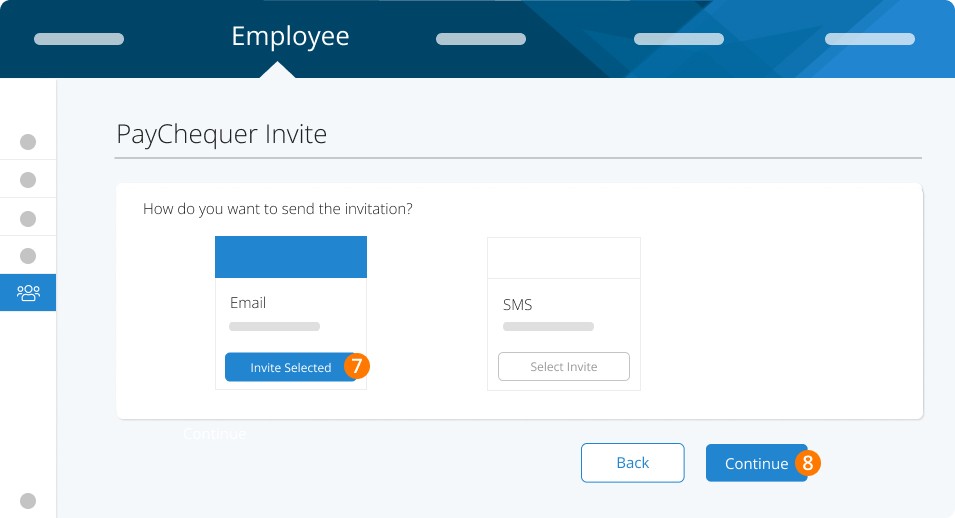
Step 9. Enter Personal Details. If SIN is not required for this worker enter 999-999-998.
Step 10. Click Continue.
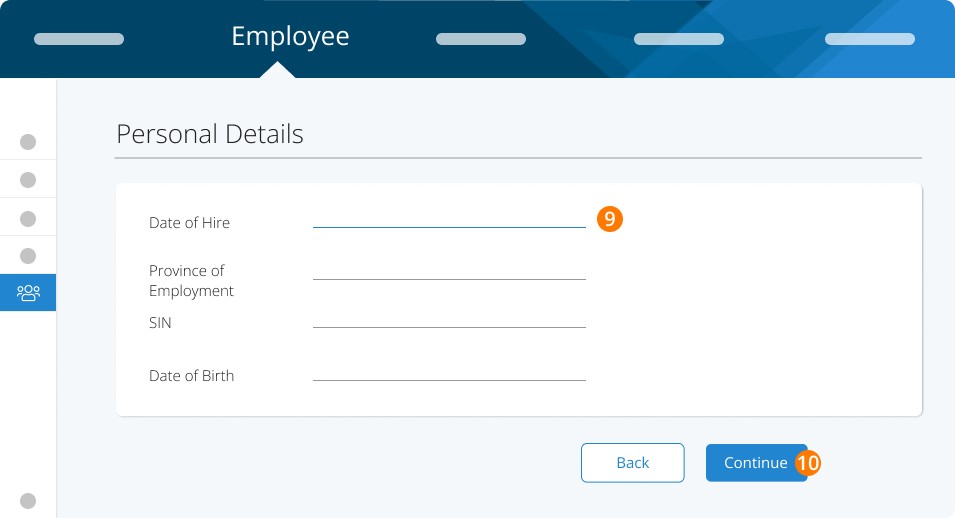
Step 11. Enter payment structure. Note you MUST enter something even if it is different than how you plan to pay this person.
Step 12. Click Continue.
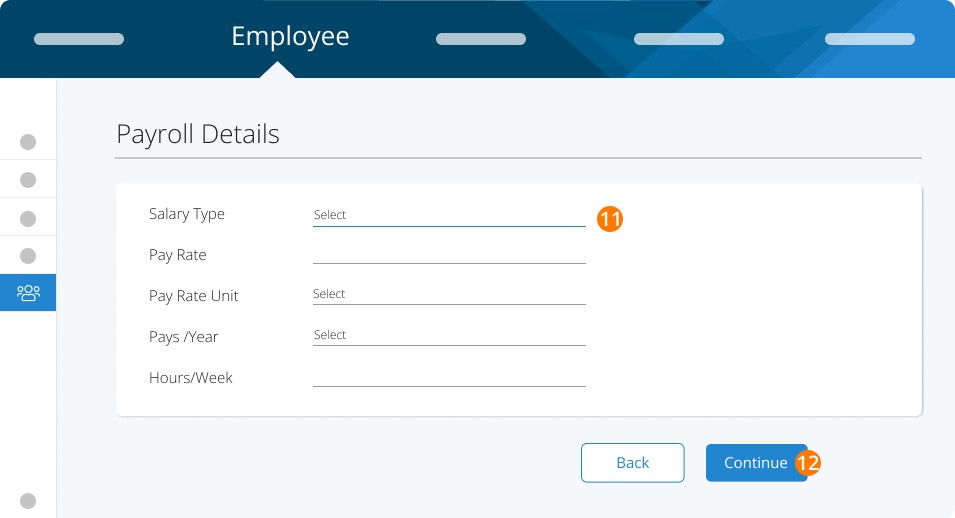
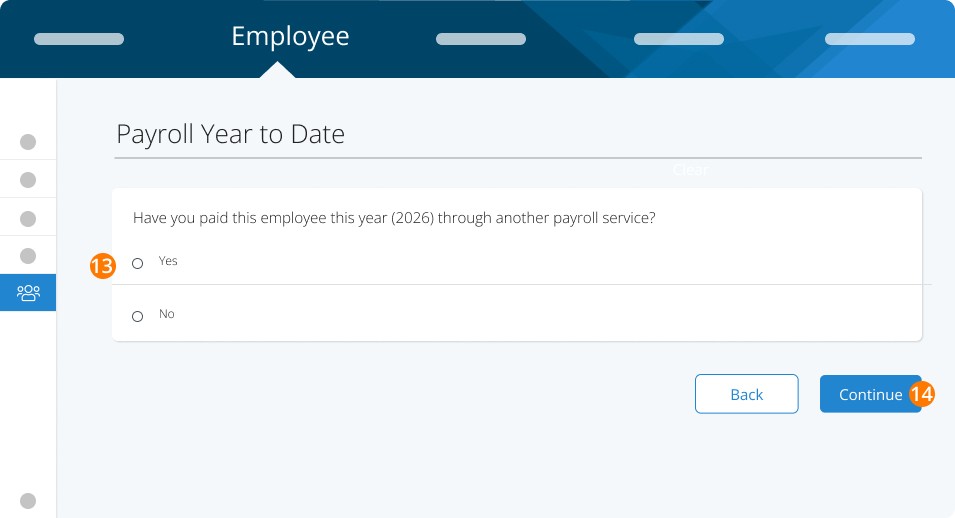
Step 13. Enter YTD if there is any to ensure T4As are accurate at year end.
Step 14. Click Continue.
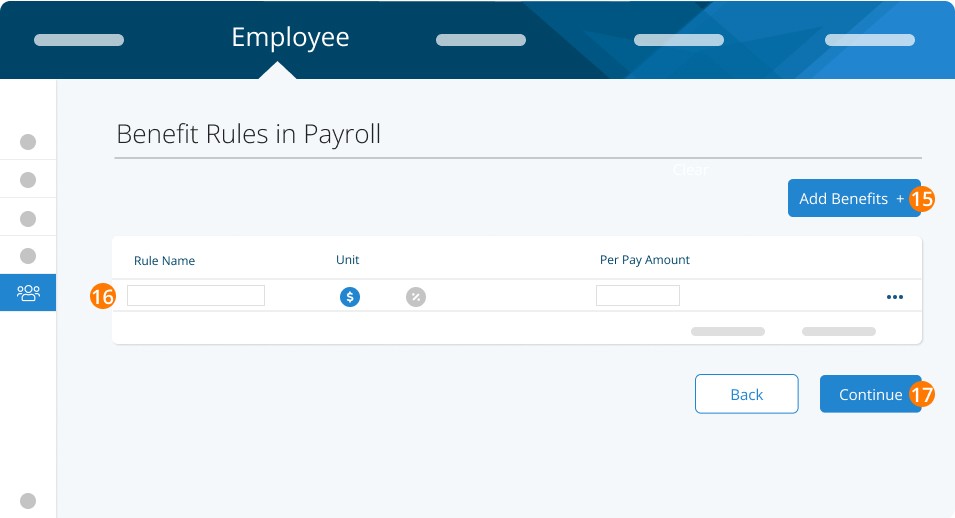
Step 15. Follow the prompts to Add Benefits as needed.
Step 16. Enter Rule Name, Unit, and Per Pay Amount.
Step 17. Click Continue.
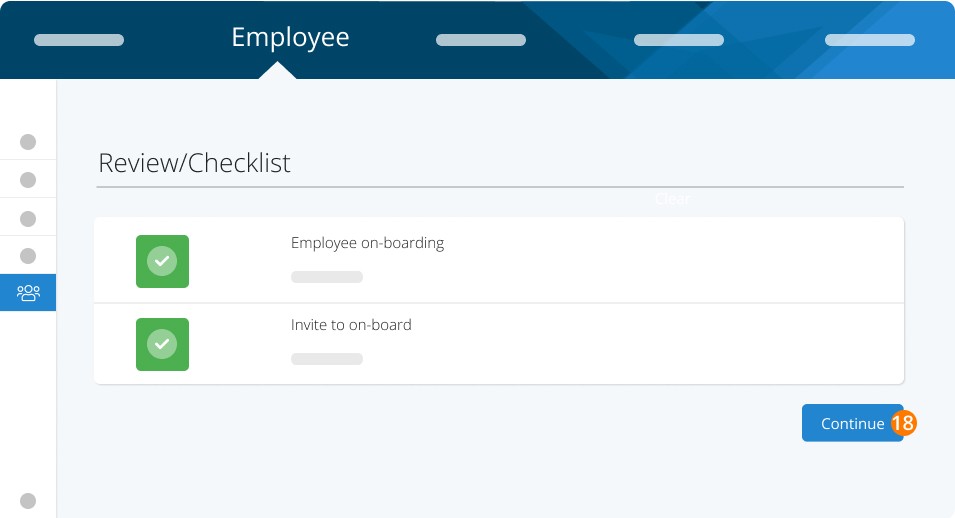
Step 18. Review the checklist and click Continue.
Note: By setting the profile to 'contractor' you'll be marking any regular earnings as tax-exempt, EI, CPP and QPIP-exempt. You'll also be telling the system to generate a T4A slip at year end for this profile.
You’re now ready to run them with your other employees on your next pay run.
Troubleshooting & FAQs
When would I pay a contractor through Payroll or through Business Payments?
By setting up a contractor in payroll you will be able to track payments and issue T4A slips at year end. If you do not need T4A slips (typically when another business invoices you for services or goods) then you can use Business Payments to electronically pay the recipient. Business Payments will not issue T4A slips at year-end.
RELATED BUSINESS PAYMENTS
Keywords: Contractor, Construction Contractor
396
Can't find what you are looking for? We can take a more direct look to help resolve your matter — Create Case or Contact Us