The best way to do Expense Reimbursements is by using our Business Payments feature. This will keep your company expenses and payroll expenses separate.
However, if you are not using Business Payments, you can reimburse employee expenses as part of the payroll process.
Follow these steps to set up and use a custom rule for refunding your staff for expenses:
Creating the Rule
Step 1. Click Settings.

Step 2. Click on Pay Rules.
Step 3. Click on Earnings.
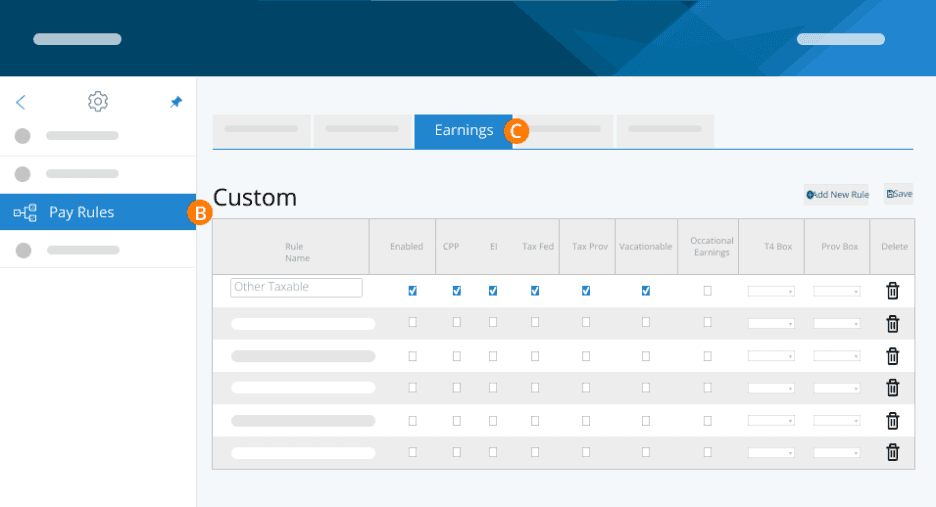
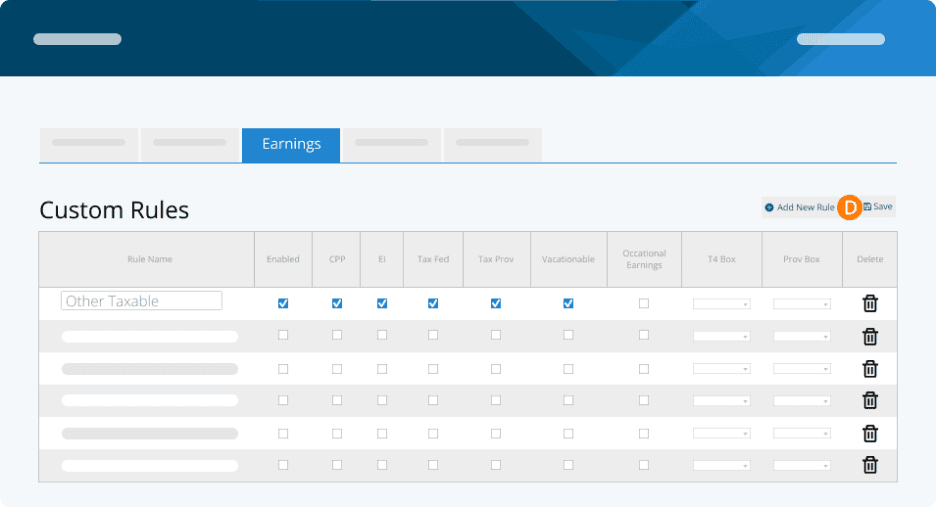
Step 4. Click on Add New Rule.
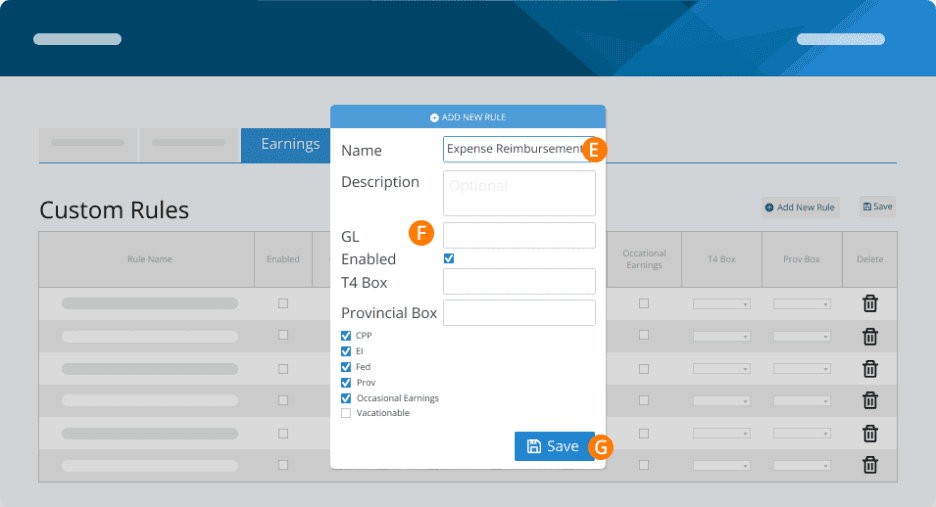
Step 5. Set up the rule by entering the employee’s name. You can leave the GL code blank.
Step 6. Uncheck the boxes for CPP, EI, Fed and Prov Tax as well as 'vacationable' and 'occasional earnings’. We're essentially creating a custom earning that is not taxable and not subject to automatic vacation calculations.
Step 7. Click Save.
Applying the Expense Reimbursement
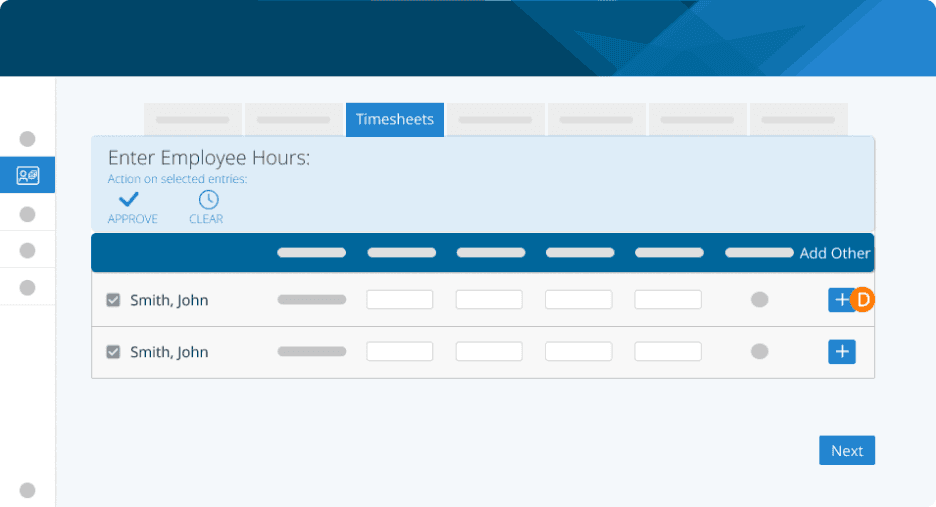
Now, when you perform a pay run, you'll be able to use the "Add Other" button on the salaries or timesheets page to enter this custom earning for each employee.
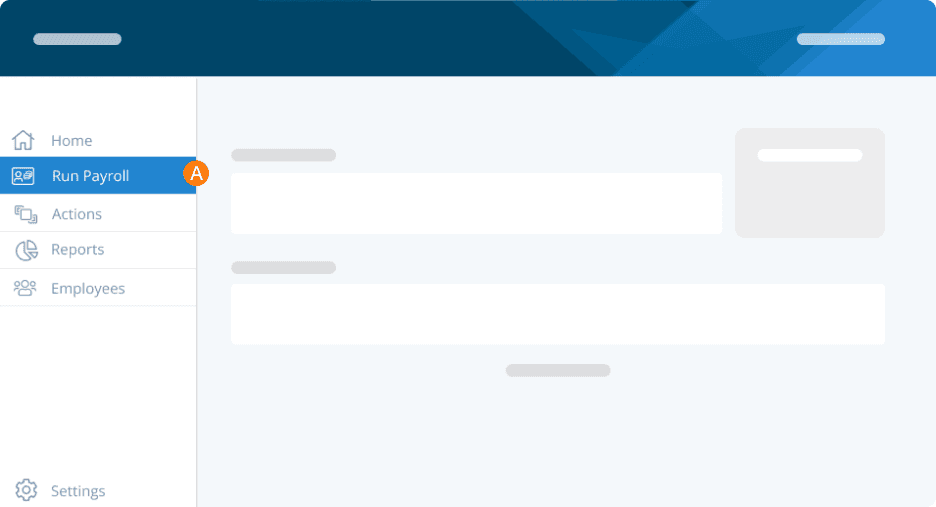
Step 1. Click on Run Payroll from the left-hand menu.
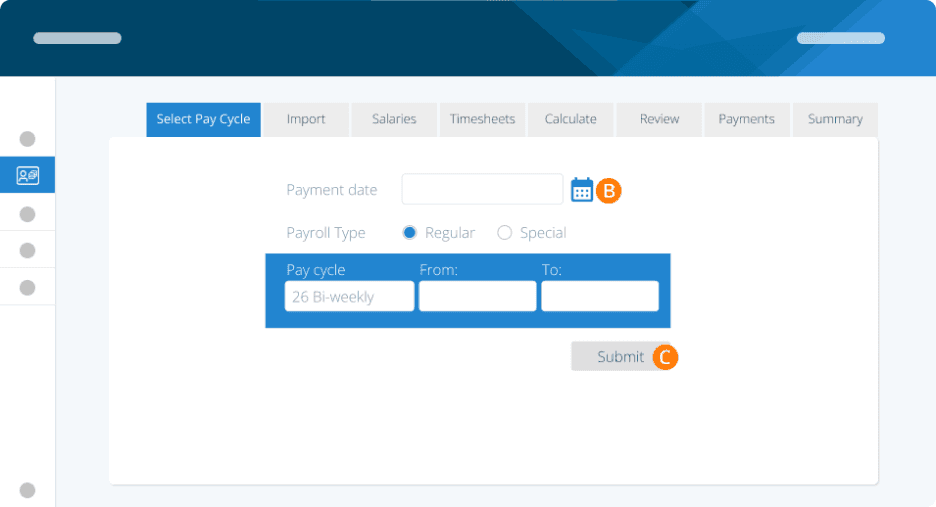
Step 2. Choose the payment date, payroll type, and pay cycle types.
Step 3. Click Submit.
Step 4. Click on “+” to add additional earnings.
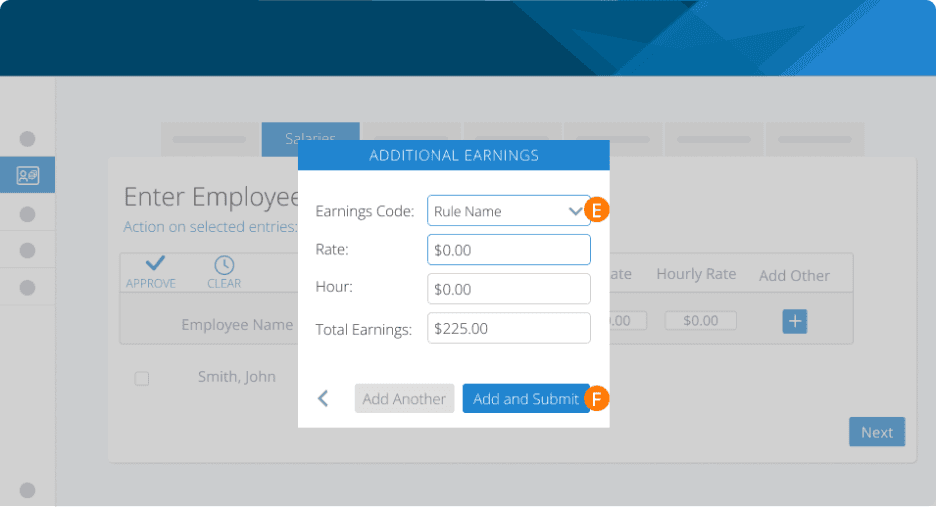
Step 5. Choose Expense Reimbursement as the earnings code from the drop-down. Then, enter the rate, hour, and total earnings amount.
Step 6. Click Add and Submit.
You can then proceed to finish your payroll as usual.
Note: These earnings will show up on your reports as part of your total earnings/wages, but they will not be reflected as taxable income to the employee. Also, consider using a Special Run for this payment to keep it separate from your reporting. If you do this, please remember to close your periods before and after this special run to ensure it is reported separately.
Troubleshooting & FAQs
Do I need to process reimbursements as a separate run?
No, if you’re using Payroll to process your expense reimbursements, they can be added with your regular payroll. However, if you wish to keep it separate for reporting purposes, you can process them on a special run.
Keywords: Reimbursement, Business Expenses
396
Can't find what you are looking for? We can take a more direct look to help resolve your matter — Create Case or Contact Us