Determining the gross pay needed to achieve a target net pay figure is easy with PaymentEvolution’s Payroll Calculator: https://paymentevolution.com/PayrollCalculator
To do this:
First change the Tax Treatment to Net. Then, enter the pay frequency, province and the net pay rate that you are looking to calculate for.
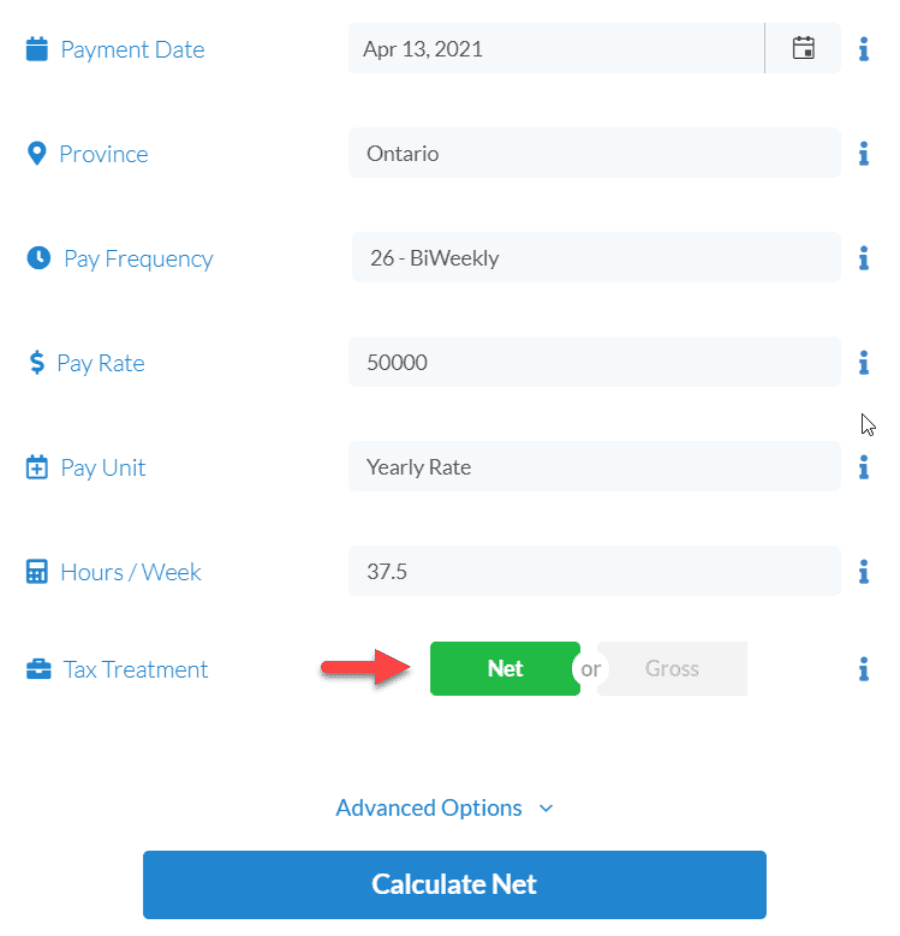
Be sure to include any applicable exemptions or TD1 amounts under Advanced Options.
Click Calculate Net to see the gross amount (Gross Salary) that you can pay your employee so that they earn the desired net amount.
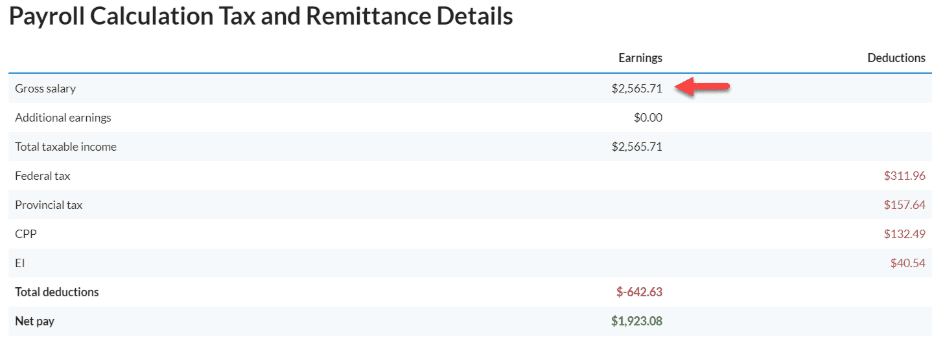
Hint - you will need to sign in to the payroll calculator to see the full details. You can use the gross amount to run your payroll, but depending on your account and employee settings it may be off by a few cents.
Keywords: Net To Gross
396
Can't find what you are looking for? We can take a more direct look to help resolve your matter — Create Case or Contact Us