If you've noticed that some of the deductions aren't correct or aren't being applied at all for your employees, there are a few things you can check:
Ensure that your employee has not been set to 'exempt' for deductions like tax, CPP, EI, QPIP etc.
Ensure that the earnings code you are using for this employee includes taxes, CPP, EI etc. These should be set to NO if you want them subject to these taxes.
Ensuring No Exemptions are Applied
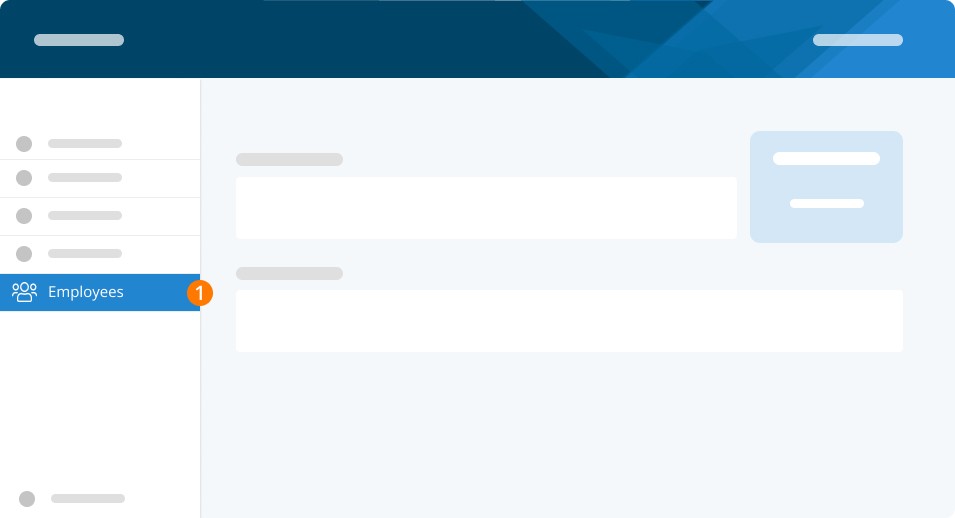
Step 1. Click Employees.
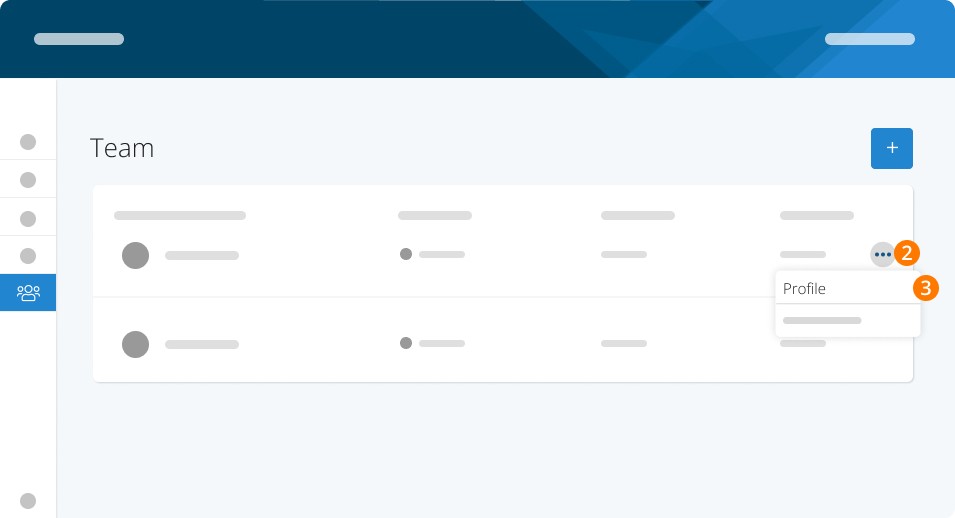
Step 2. Click the three dots.
Step 3. Click the employee's Profile.
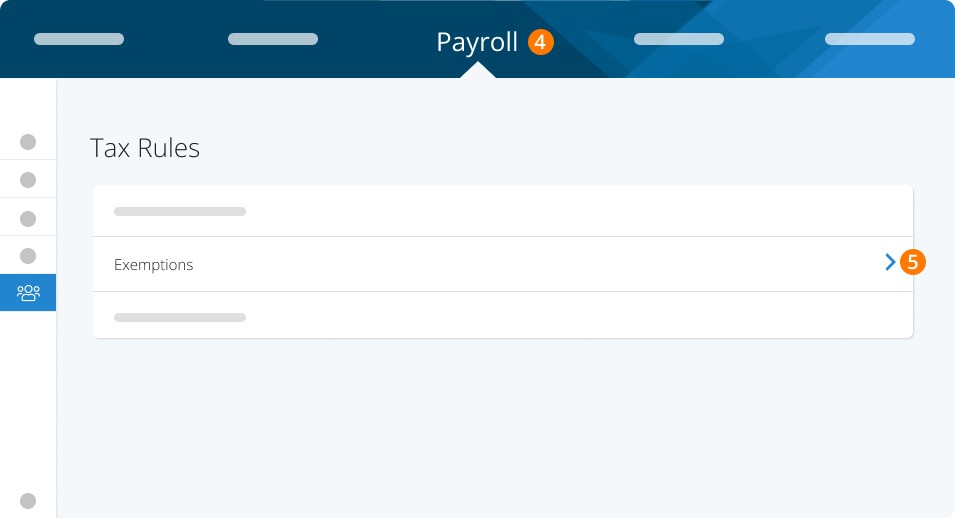
Step 4. Click Payroll to get to the Tax Rules page.
Step 5. Click Exemptions.
Checking Earnings Settings
To check the settings of your earnings:
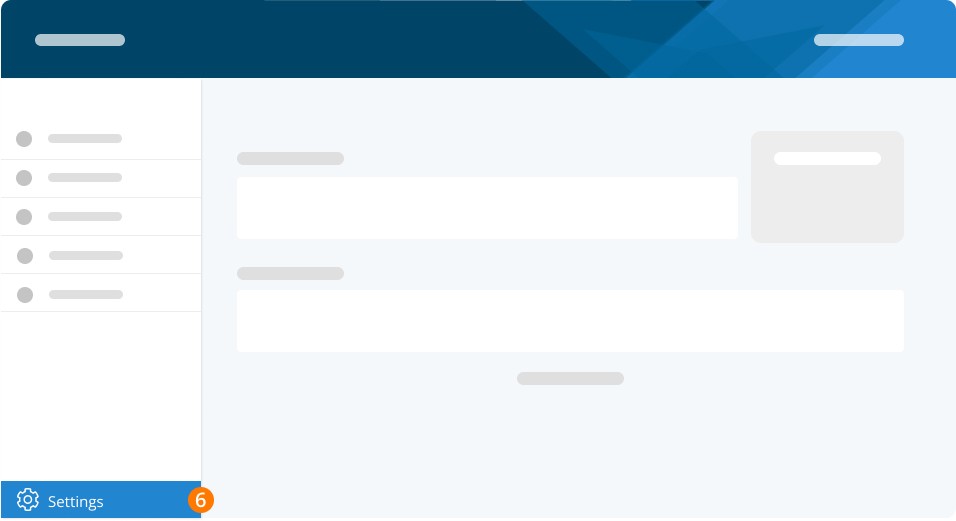
Step 6. Click Settings.
Step 7. Click Pay Rules.
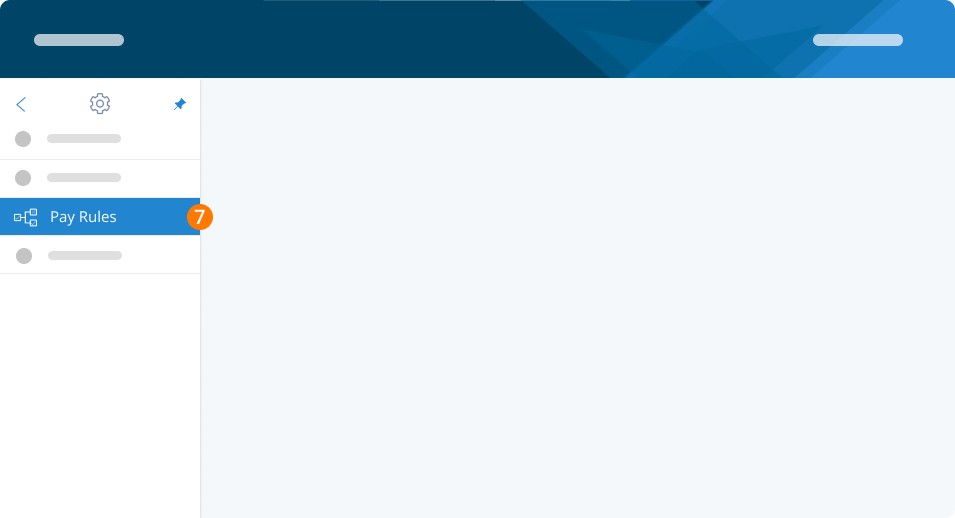
Step 8. Click Earnings to view your custom rules.
Now, check on:
No taxes will be deducted if employees’ earnings are below the exemption limit.
Consider if your employee qualifies for exemptions based on factors like age. (Individuals under 18 or over 70 do not need to contribute to CPP)
When comparing numbers to other payroll calculators:
Note that the CRA calculator may not have historical CPP/EI information to use when applying its calculations.
Keep in mind that the CRA calculator uses ranges, resulting in potential discrepancies of up to $5.00.
CPP and EI both have a yearly max, so if your employee has reached those it will no longer calculate them, which could account for a different net pay amount.
Our system estimates annual income for accurate tax calculations, while the CRA calculator provides only estimates of the tax.
Although our calculator may not cover your custom pay rules, it excels at simplifying tax calculations on your behalf.
When running payroll using the "Special" pay run:
Note that CPP exemption may not be considered, potentially resulting in different tax rates compared to regular payroll.
For more information on when to use the special run, read this article here for information on special pay runs.
Remember that CPP and EI have yearly maximums and it can affect your net pay amount. Refer to rates here for more information.
Keywords: Check Tax Deductions, Checking Taxes, Tax Deductions
396
Can't find what you are looking for? We can take a more direct look to help resolve your matter — Create Case or Contact Us