Wage Changes – Beginning of Cycle
If the wage change occurred exactly at the beginning of a new payroll cycle (NOT mid-cycle), follow the steps below.
Step 1. Click Employees.
Step 2. Open the employee’s Profile.

Step 3. Select Payroll.
Step 4. Choose Payment Structure.
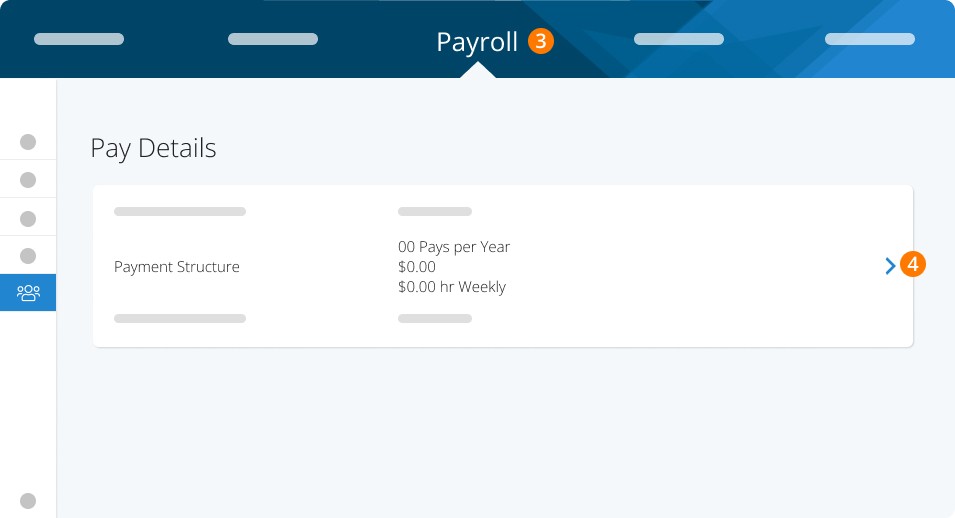
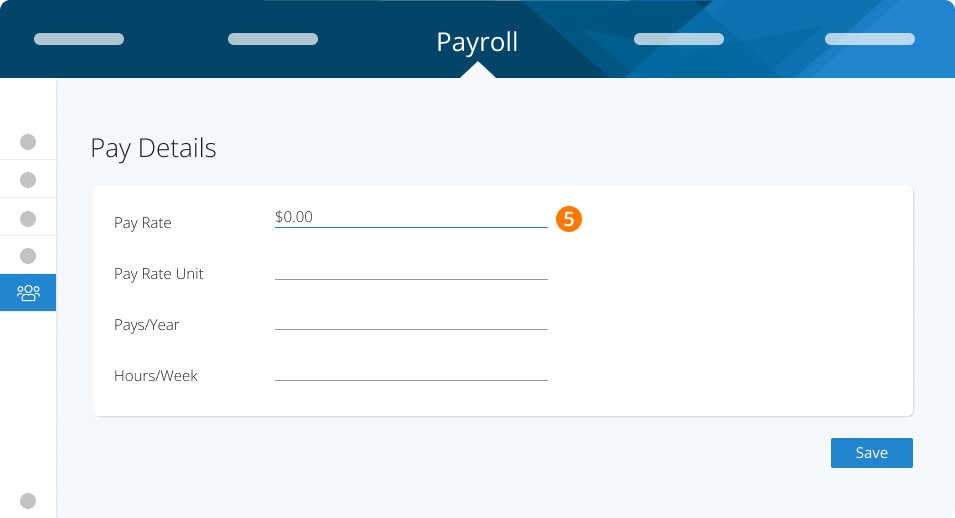
Step 5. Change the employees Pay Rate.
Wage Changes – Mid-Cycle (Time-Based Employees)
When a time-based employee has a wage change mid-cycle, follow these steps:
Let's assume the employee is still set to their old wage
Step 6. Select your pay cycle as Normal.
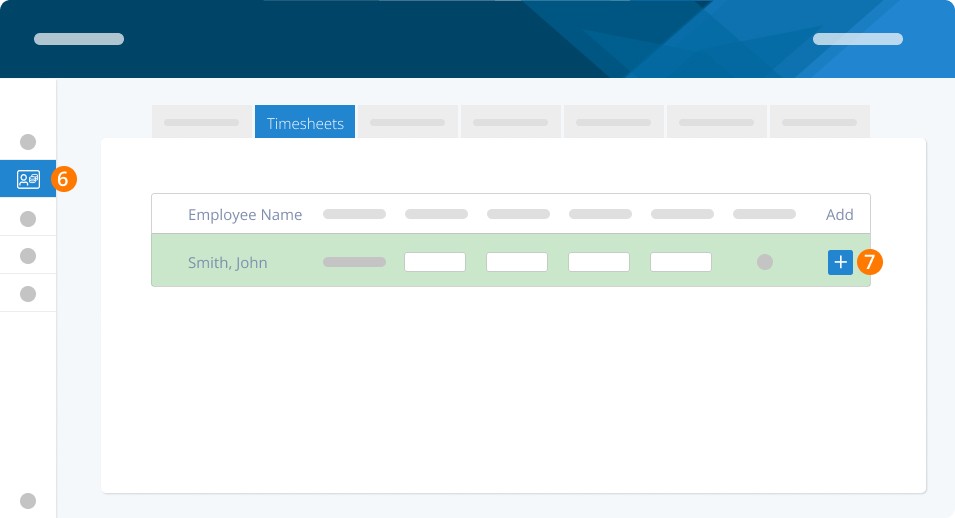
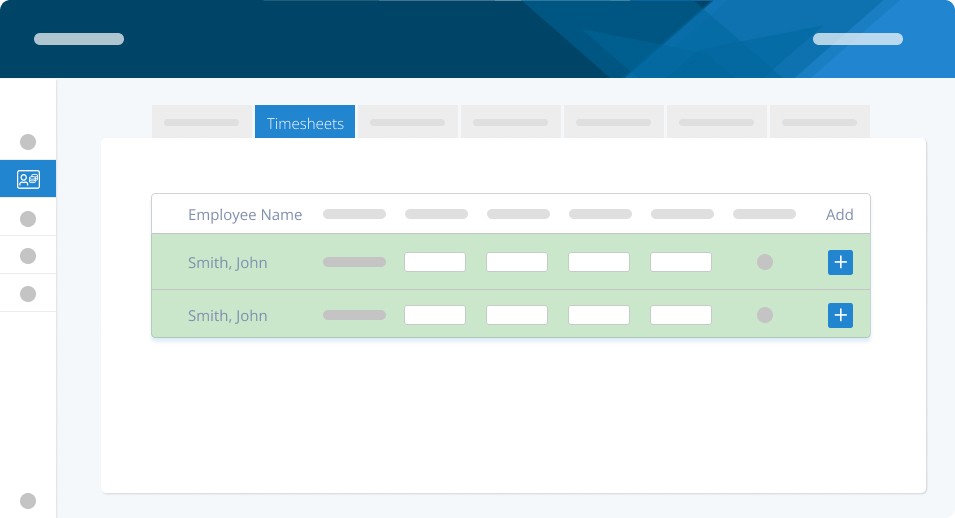
For time-based employees, put in the number of hours they worked at their old rate and approve the line.
Step 7. Then, click the + BUTTON to add an additional earning.
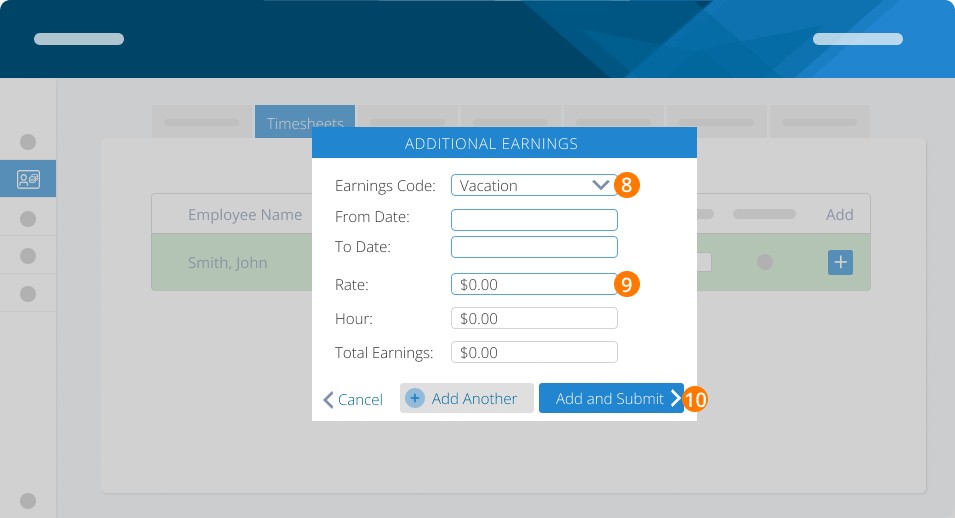
Step 8. Set to Regular Hours.
Step 9. Enter the new rate for the employee
Step 10. Enter the number of hours worked at the new rate
Step 11. Click Add and Submit.
You will now see the employee listed twice, once for the hours worked at the old rate and again for the hours worked at the new rate.
Wage Changes – Mid-Cycle (Salaried Employees)
Salaried employees can be edited in the same way as the time-based employees, but you will need to calculate the new rate.
Here's how: the system calculates an "hourly rate" based on the yearly rate divided by the number of pays per year, and then further divided by average hours worked
Here's an example:
Employee A makes $75,000 per year, they are paid bi-weekly at 26 pays per year
Bi-weekly payment is $75,000 / 26 = $2,884.61
Average hours per week in the system are 37.5, so for two weeks it is a total of 75 hours
Rate is $2,884.61 / 75 = $38.46
If Employee A gets a raise to $80,000 per year, you would follow the same calculation to input the new rate:
$80,000 / 26 = $3,076.92
3076.92 / 75 = $41.02
The new rate is $41.02, and you can now add the new earning just like you did for the time-based employees.
Changing an Employee from Time-Based to Salaried
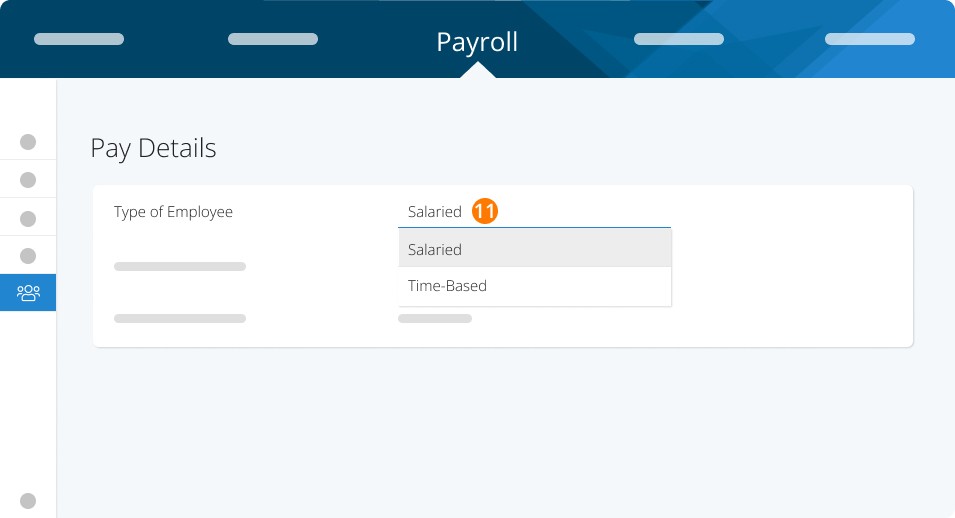
If your employee has changed from time-based to salaried, you can switch them under Employees > Open the Profile > Payroll > Type of Employee.
Step 12. Change them from Time-Based to Salaried (or vice versa).
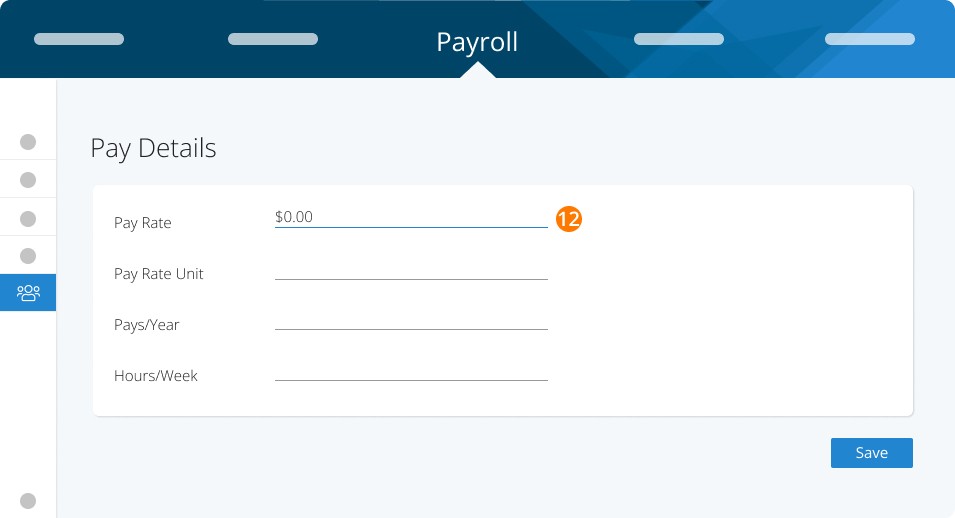
Step 13. Enter the new rate/rate unit under Payment Structure.
Please Note: if the rate has changed part way through a pay cycle, use one of the methods above to pay each part of the wages in one pay run.
Keywords: Wage Change, Raise, Pay Increase, Pay Decrease, Change Salary, Change Pay
396
Can't find what you are looking for? We can take a more direct look to help resolve your matter — Create Case or Contact Us