Enable or Change Your B.C. EHT Rate
Retroactive to Jan.1, 2024, B.C. updated the employer health tax (EHT) rates and exemptions. Check out the changes below.
You can also read B.C.'s overview of EHT.
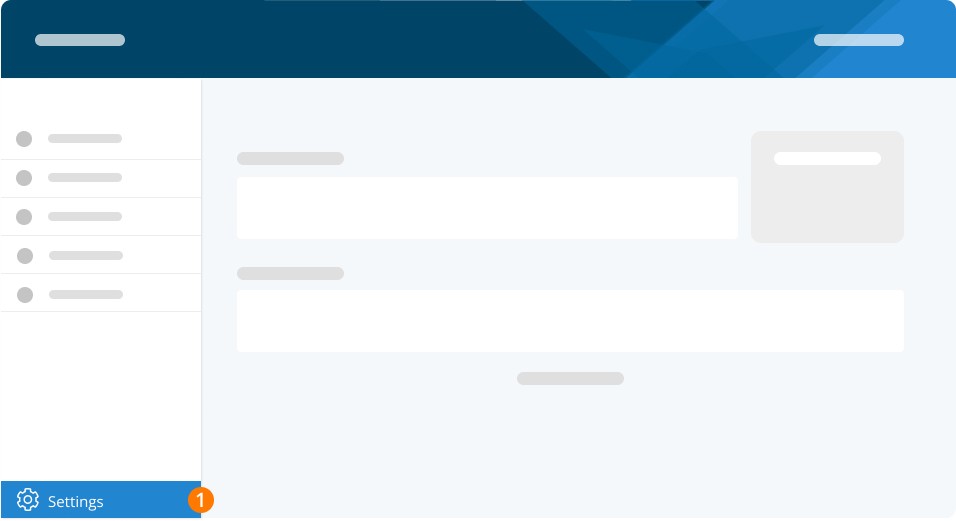
Step 1. Go to Settings.
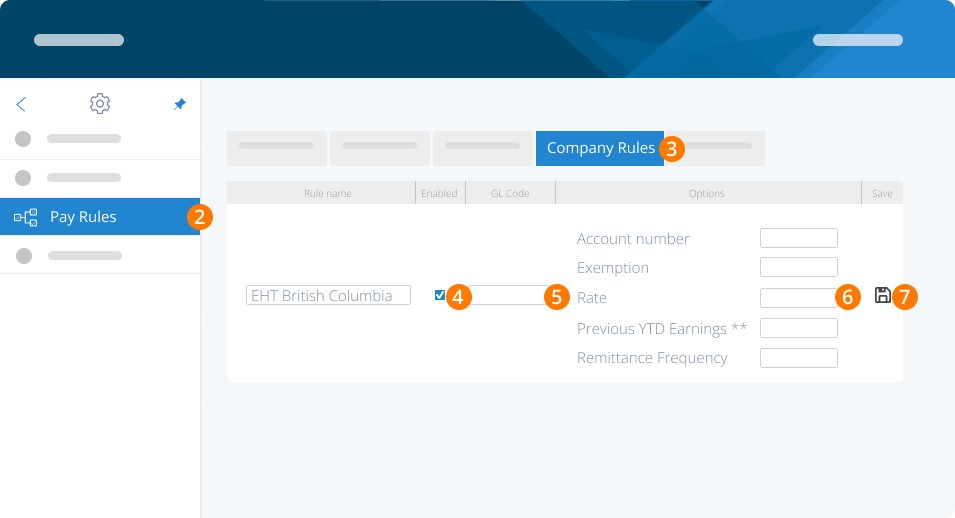
Step 2. Click Pay Rules.
Step 3. Click Company Rules.
Step 4. Enable BC EHT.
Step 5. Set a GL Code (to track in your accounting software).
Step 6. Click Edit and enter:
Account Number (for BC EHT)
Exemption (per year)
Rate
Previous YTD Earnings
Remittance Frequency
Step 7. Click Save.
Important
In May 2024, B.C. updated the employer health tax (EHT) rates and exemptions. If your B.C. remuneration is:
Less than $1,000,000, you're exempt from paying EHT.
Previously, the exemption amount was $500,000
Between $1,000,000.01 and $1,500,000, your new rate is 5.85%
Previously, this rate was 2.925%
You can find your EHT rate.
Note: If you are starting with PaymentEvolution part way through a calendar year and have already completed some pay runs that would affect your BC EHT, please enter your taxable income to date in this field.
Remitting BC EHT
Note: PaymentEvolution does not remit EHT on your behalf.
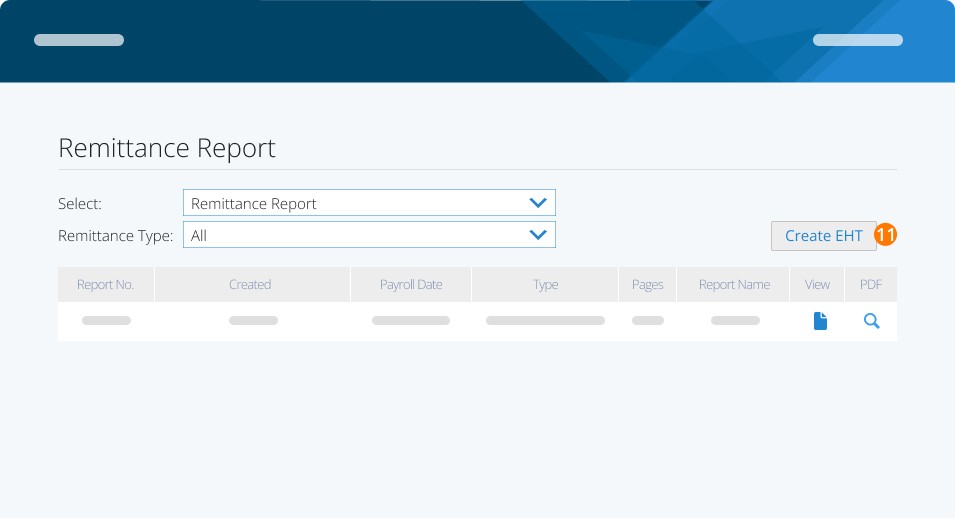
To create your EHT report, at the end of a reporting period:
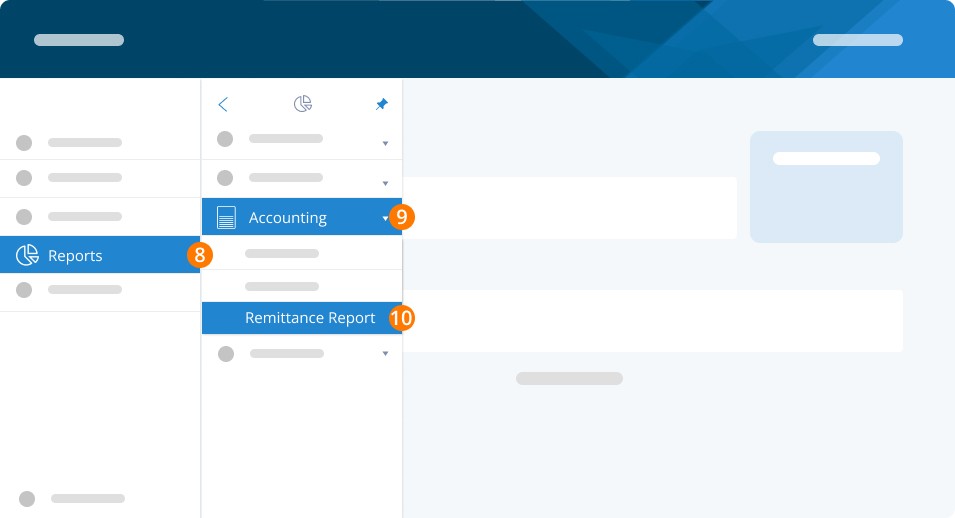
Step 8. Go to Reports from the left-hand menu.
Step 9. Click Accounting.
Step 10. Click Remittance Report.
Step 11. Click Create EHT.
Alternatively, if you wish to see the EHT amount per pay, you can use the Payrun History Report on this page and select the box to Show Company Portions. Use the checkboxes on the far left to select a group of pay runs to add up, as required.
Troubleshooting & FAQs
Does PayEvo remit EHT on my behalf?
No, PayEvo does NOT remit Ontario or BC EHT on your behalf. We will only calculate the amount you owe once the rule is enabled.
What happens to the EHT amounts PayEvo calculates?
Nothing – we do not debit or remit EHT on your behalf. The amount you see calculated in the report you generate is not debited by PayEvo.
Keywords: BC EHT, Employer Health Tax, EHT
396
Can't find what you are looking for? We can take a more direct look to help resolve your matter — Create Case or Contact Us