For those who have not yet completed the upgrade process, you may face some difficulties signing in. This article will take you through signing in and upgrading your account if you have not already done so.
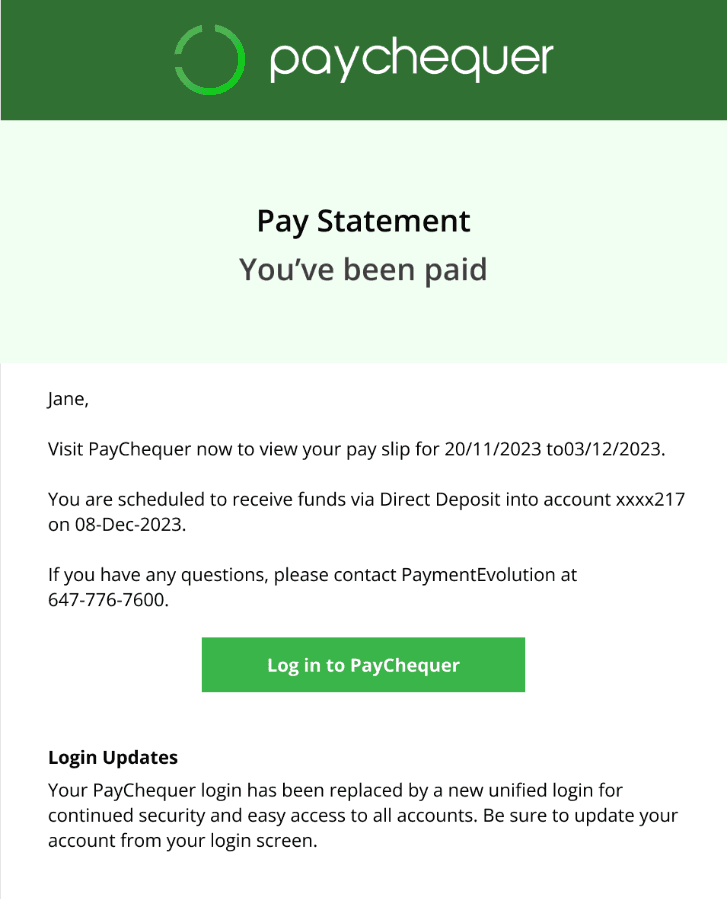
Firstly, you’ll receive your PayChequer payslip notification like the one below. Follow the Login to PayChequer link.
Logging in with Employee ID
This will take you to our new login screen. If you haven’t upgraded, then you won’t be able to log in here – yet.
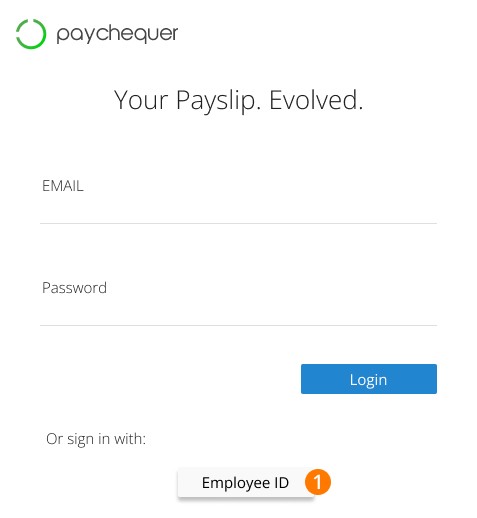
Step 1. To log in, you should click the Login with Employee ID option at the bottom.
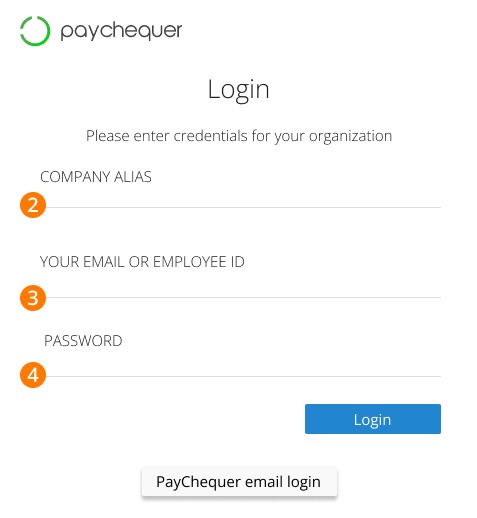
This will bring you to a similar screen, but this time with three fields.
Step 2. First, enter your Company Alias*.
Step 3. Then, provide your email address or employee ID.
Step 4. Last, your password.
Not sure how to find your Company Alias? Here are some options:
Ask your employer to provide it to you. They can follow these steps.
Check your old PayChequer bookmarks.
Go to an old PayChequer payslip notification email (November 2023 or before) and right-click on the ‘Login to PayChequer’ button, followed by ‘Copy link address’. Paste the link address somewhere and you’ll find the alias within the url (ex. (companyinc.paychequer.com - Alias: companyinc)
Upon successful login, you’ll be prompted to upgrade your account. Follow the steps in this article for a full walkthrough.
Alternative Login
Alternatively, if you enter your usual username (email) and password on the first screen (pictured below), it will prompt you for your Company Alias.
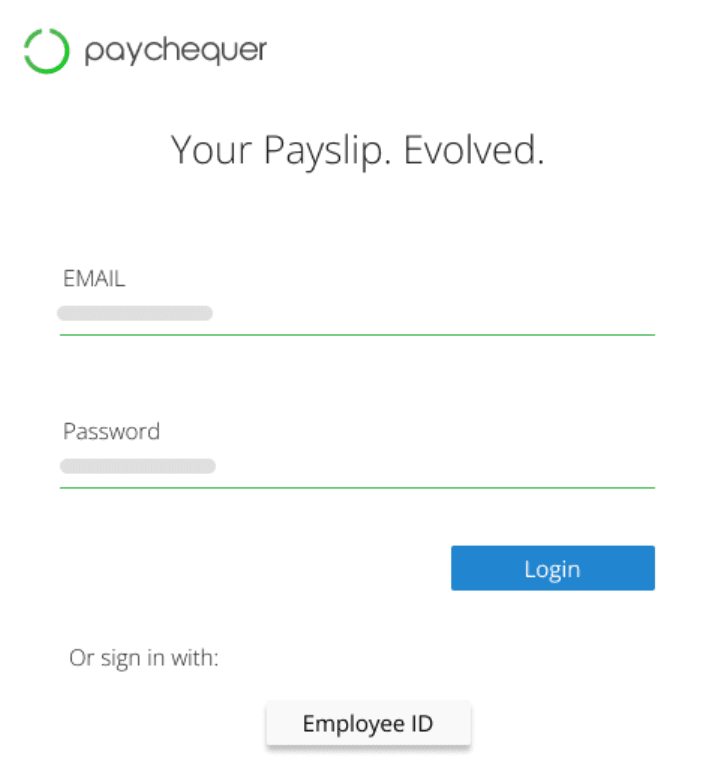
Step 1. On this screen, enter your Company Alias:
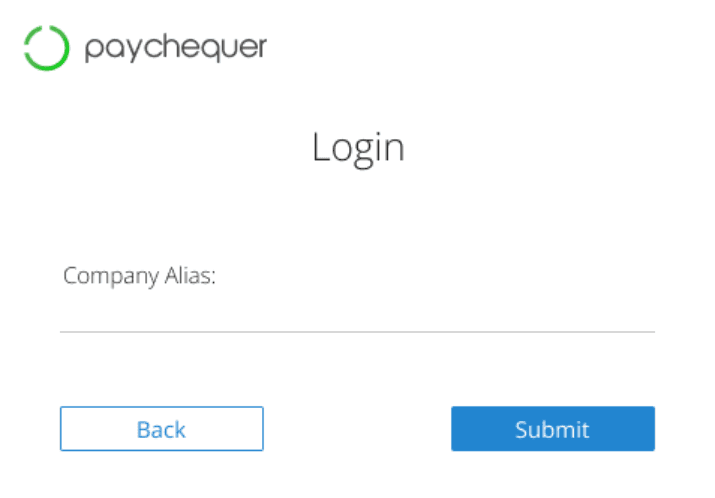
Entering the correct Company Alias on this screen, in combination with your valid login details on the initial screen, will prompt you to upgrade. For full details on the free upgrade process.
Keywords: Paychequer Login, Access Tax Slips, Access Payslips, Access Pay Stubs
396
Can't find what you are looking for? We can take a more direct look to help resolve your matter — Create Case or Contact Us