You can view the Records of Employment you have submitted via the PaymentEvolution auto-submission service from within your profile.
To view, login to your account and navigate to the EMPLOYEES area.
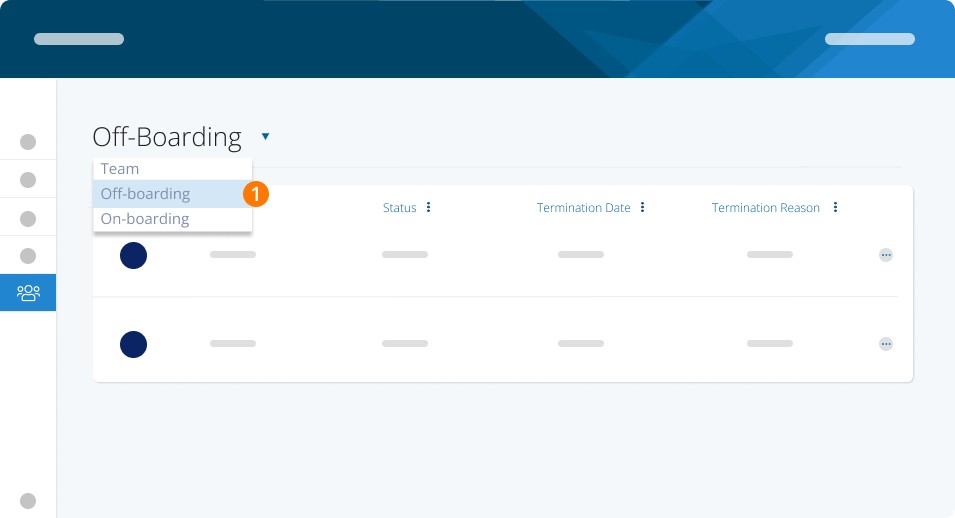
Change the view to Off-Boarding
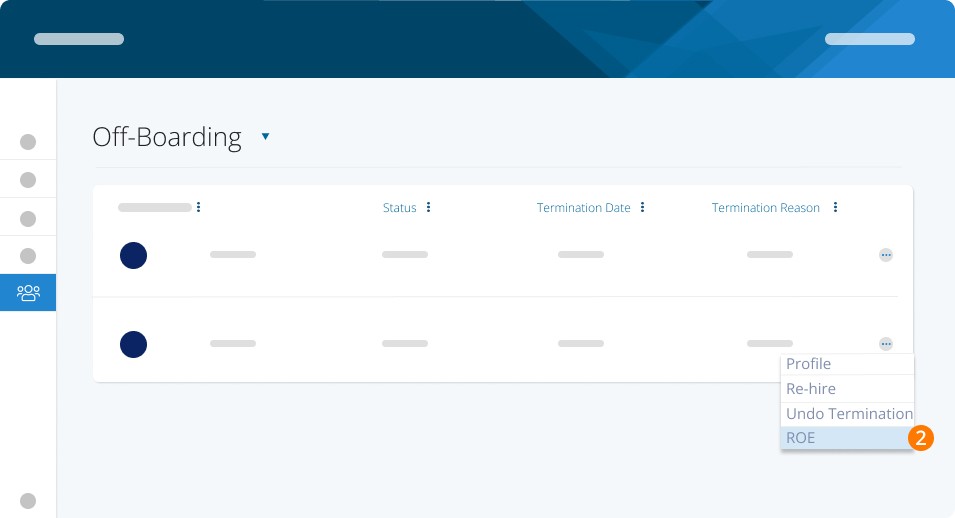
Locate the team member and use the right-hand three dots to select ROE
Select VIEW COMPLETED ROE
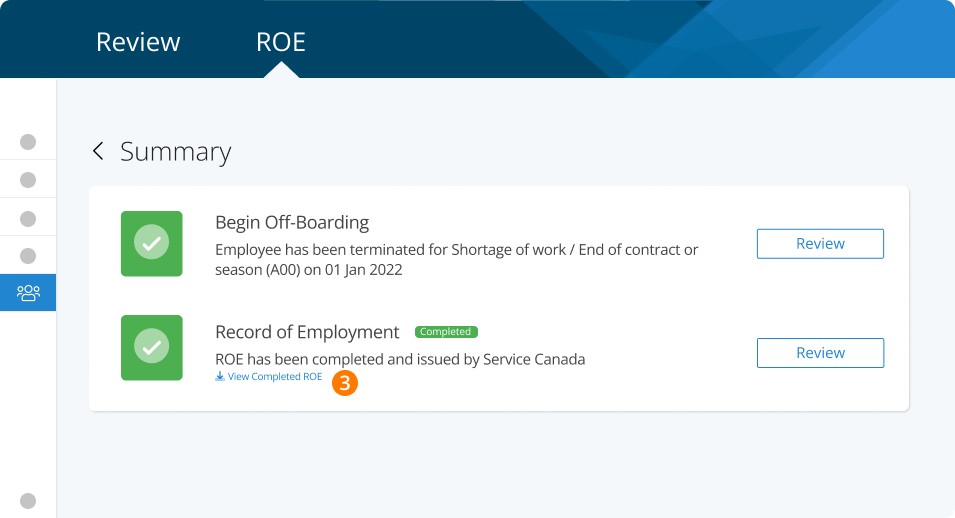
The serialized ROE will be shown (or downloaded as a PDF)
Please note that viewing a completed ROE is only available if you have used the PaymentEvolution auto-submission service. If you filed the ROE directly with Service Canada, please log into the Service Canada ROE portal to view any submissions.
Related Tasks
Keywords: Record of Employment, ROE, Termination, Dismissal, View ROE, View Record of Employment
396
Can't find what you are looking for? We can take a more direct look to help resolve your matter — Create Case or Contact Us