EVOLV Client List Views
You can view your client list in two views: Grid and List. Switch between the two by clicking the icon in the upper right corner of the tile.
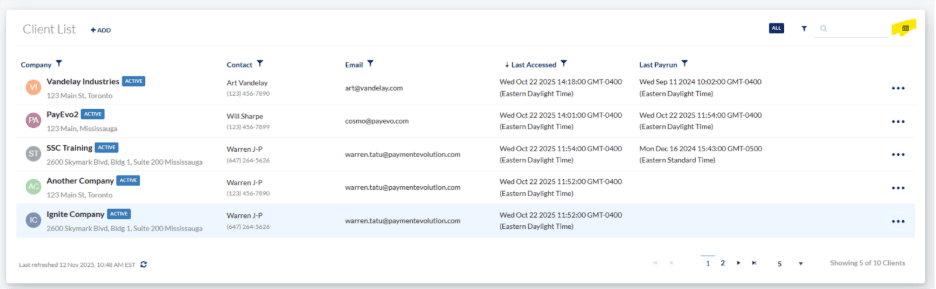
Sorting, Filtering and Searching your EVOLV Client List
To sort between Active and Inactive clients, click the filter icon towards the upper right corner of the tile. The current filter will be shown immediately beside the filter button (Active/Inactive).
To Search for a specific client, use the search bar also in the upper right corner of the tile.
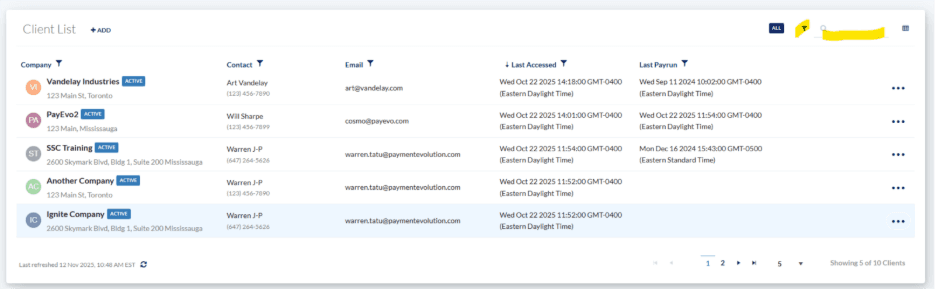
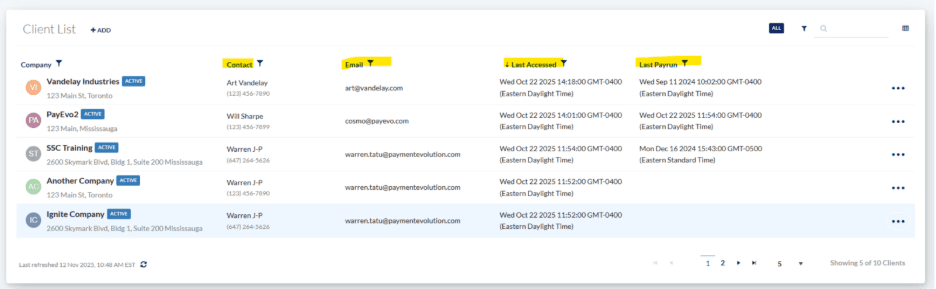
Filtering the List View in your EVOLV Client List
To filter things like Last Accessed Date or Last Pay Run date or other fields, you can do so from the list view. To do sort, simply click the column header to sort Ascending or Descending. To filter, click the column filter option and enter your desired criteria. For example, if you wanted to see the client for which you most recently ran payroll, you can click the Last Payrun column header to sort by most recent.
Related Tasks
Keywords: Client List, Client Account List, List Of Clients, EVOLV, EVOLV Clients
396
Can't find what you are looking for? We can take a more direct look to help resolve your matter — Create Case or Contact Us