Submitting your Product Feedback in EVOLV
You can submit your feedback for new products, services, or product improvements directly to your EVOLV portal. To submit feedback
Step 1. Navigate to the Product Feedback tile
Step 2. Click the + icon
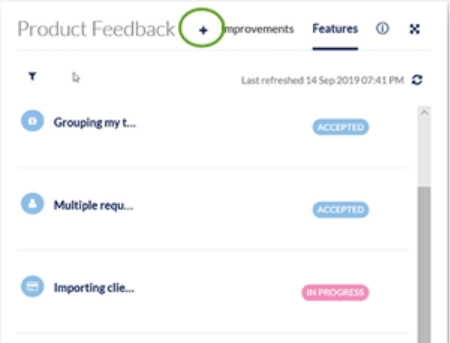
Step 3. Select whether you are submitting a feature (something we don’t currently offer) or an improvement (an enhancement to an existing feature)
Step 4. Provide us with the details of your suggestion.
Once submitted, your request will go directly to our Product team for review. From then on, you’ll be able to monitor the status of your request.
Monitoring the Status of your EVOLV Product Feedback
After your request has been accepted, you’ll be able to see your own and others’ requests in the Product Feedback tile. We update the status of all suggestions as they progress through the development process. To monitor the status of your suggestions:
Step 1. Navigate to the Product Feedback tile
Step 2. Find your suggestion in the list (be sure you’re searching correctly for either an Improvement or Feature)
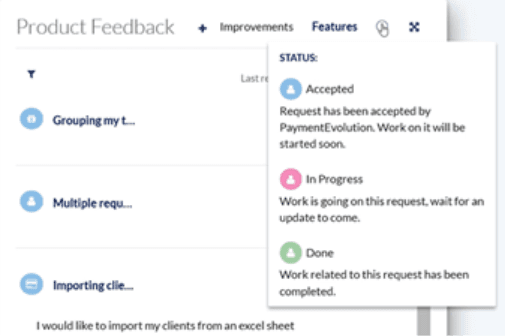
Step 3. See the tag (In Progress, Accepted, etc.)
Related Tasks
Keywords: EVOLV, Feedback, Product Suggestions
396
Can't find what you are looking for? We can take a more direct look to help resolve your matter — Create Case or Contact Us