Programs that remember passwords are increasingly popular, but sometimes they can lead to issues.
Autofill using LastPass has led to issues with employee information transferring to another employee's page. If using LastPass and employee information transfers to another employee's page, DO NOT click save on the employee page.
If you do not save it, the information will remain only as a visual issue.
If you did save over an employee's information, please contact our support team using the Submit a Request option on the top right of this page.
To prevent this from happening, we have installed a block on auto-fill options, but with LastPass, you need to acknowledge our block. Here's how:
Step 1. Go to your LastPass Icon on your browser
Step 2. Select All Items
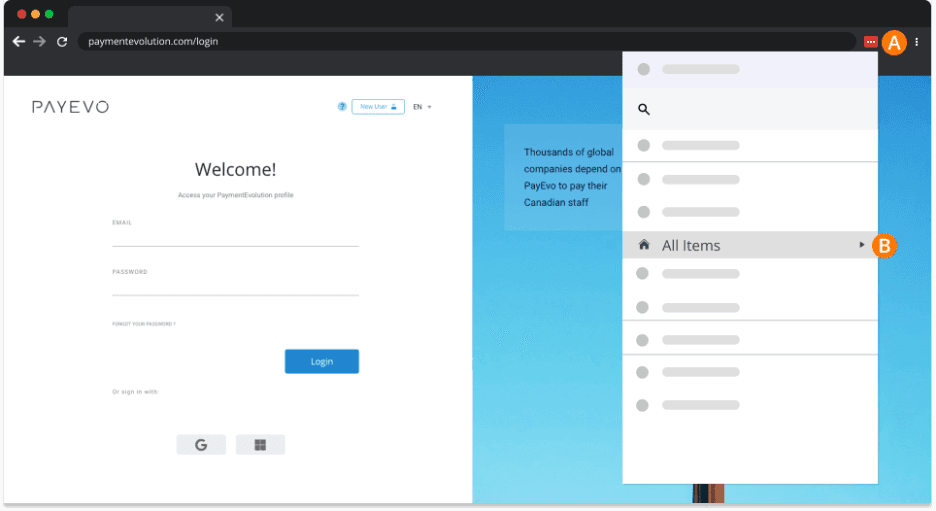
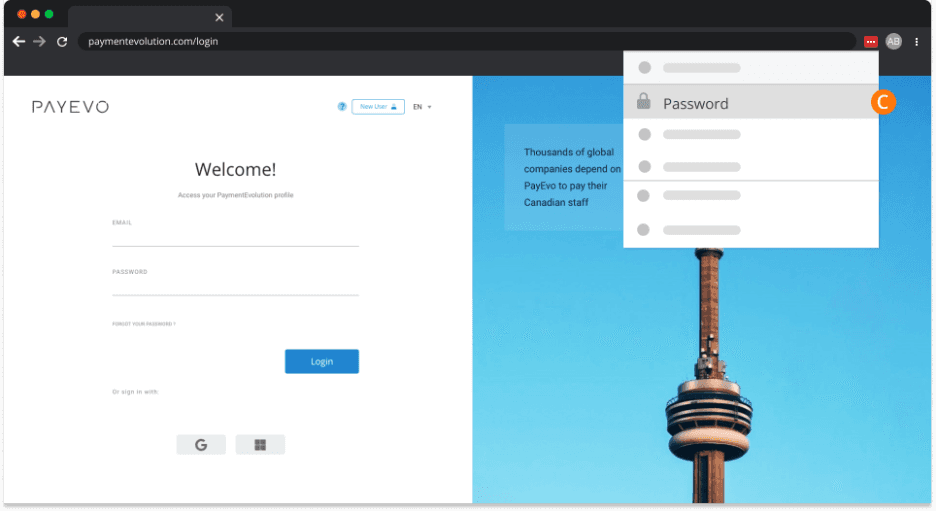
Step 3. Click Passwords
Step 4. Click the Edit icon
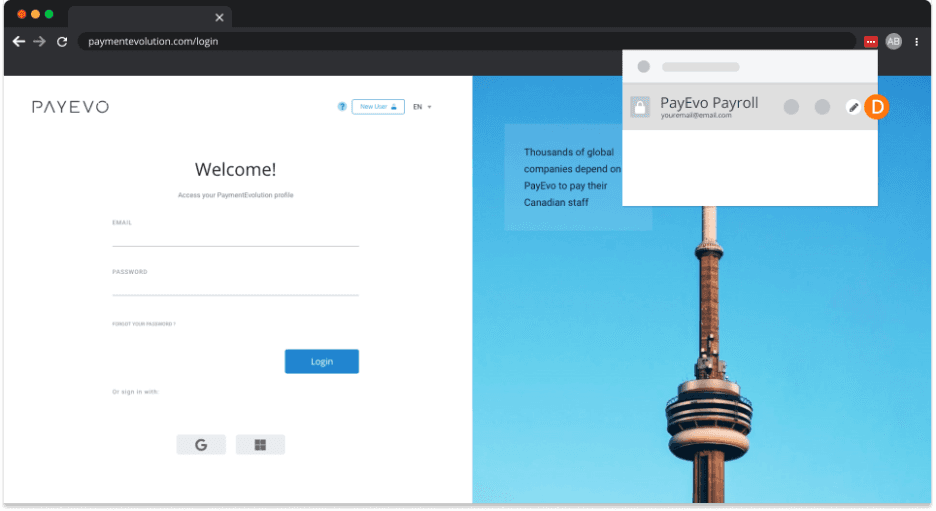
Under the Advanced Settings section, enter: https://www.paymentevolution.com and your credentials
Step 5. Check the box to Disable Autofill option
Step 6. Click Save
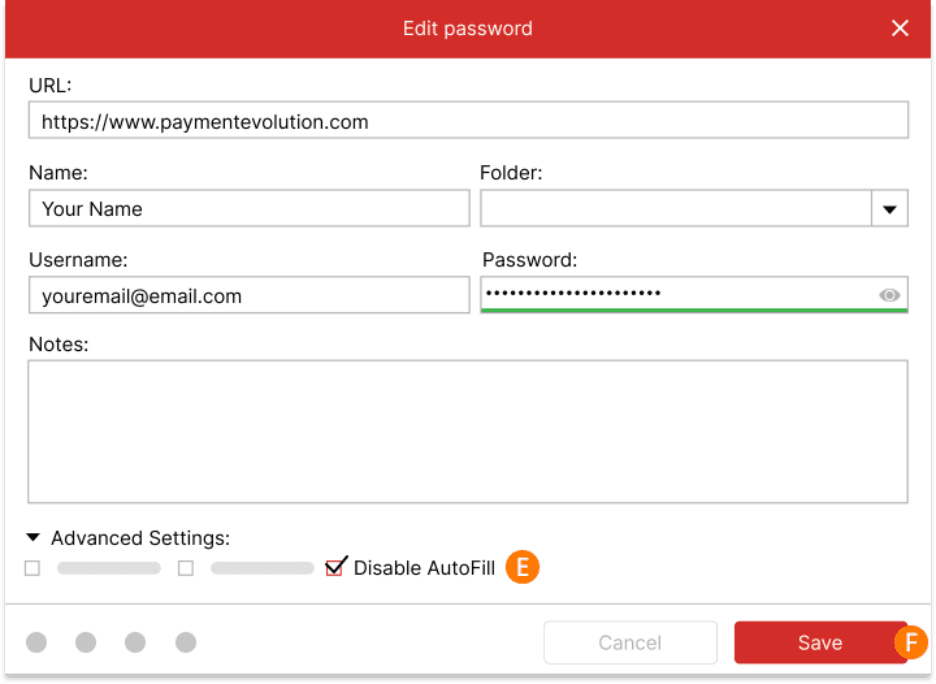
Once completed, you should have no further issues
If you did click SAVE on an employee prior to disabling LastPass, please contact our support team.
Keywords: Autofill, LastPass
396
Can't find what you are looking for? We can take a more direct look to help resolve your matter — Create Case or Contact Us