
POV: It’s the end of October, you’re looking at the list of projects you hoped to finish this year and thinking, “This will just have to be next year’s problem…”
Been there, done that. But if there’s anything on that list you must do before the year ends, it’s preparing your year-end payroll reports. And when we say you “must” do this, we literally mean it — you have to do it as it ensures compliance with government regulations and guarantees accurate tax filings and earnings records. Preparing these reports can be tricky due to the sheer amount of data and the potential for errors, penalties and fines, especially with strict deadlines for submitting to the Canada Revenue Agency (CRA) and other agencies. Luckily for you, we have your back!
We’ve put together an easy-to-understand guide on year-end payroll reporting, complete with the best tips and tools to ease your stress.
The Step-by-Step Guide to Preparing Payroll ReportsCommon Year-End Reporting MistakesChecklist for Finalizing Payroll ReportsUsing PaymentEvolution for Easy ReportingRounding up the Year
The Step-by-Step Guide to Preparing Payroll Reports
Clear-cut and simple, here it is:
1) Gather Payroll Data
Start by gathering payroll data for each employee. This includes regular wages, overtime, commissions, and bonuses earned throughout the year. It’s also important to compile records of any deductions, like health insurance and retirement contributions. Ensure you include data from every payroll cycle and fix any discrepancies early.
2) Record Earnings and Deductions
Ensure that your payroll system accurately records each employee’s earnings and deductions. Earnings include all compensation, while deductions should reflect each employee’s tax status, benefits, and other withholdings. Reviewing these details now lets you catch any errors before they impact tax forms and employee records.
3) Confirm Employee Information
Double-check each employee’s personal information, such as Social Insurance Number, address, and tax withholding status. Incorrect information will lead to delays or costly reissues when you provide your tax forms.
4) Review Tax Compliance
Verify you’ve calculated payroll taxes according to federal and provincial requirements. Different provinces have distinct payroll tax regulations, so ensure you meet all requirements and your calculations align with recent CRA guidelines. Reviewing compliance ensures that deductions are accurate and helps you avoid any underpayment penalties.
5) Compile Year-End Reports
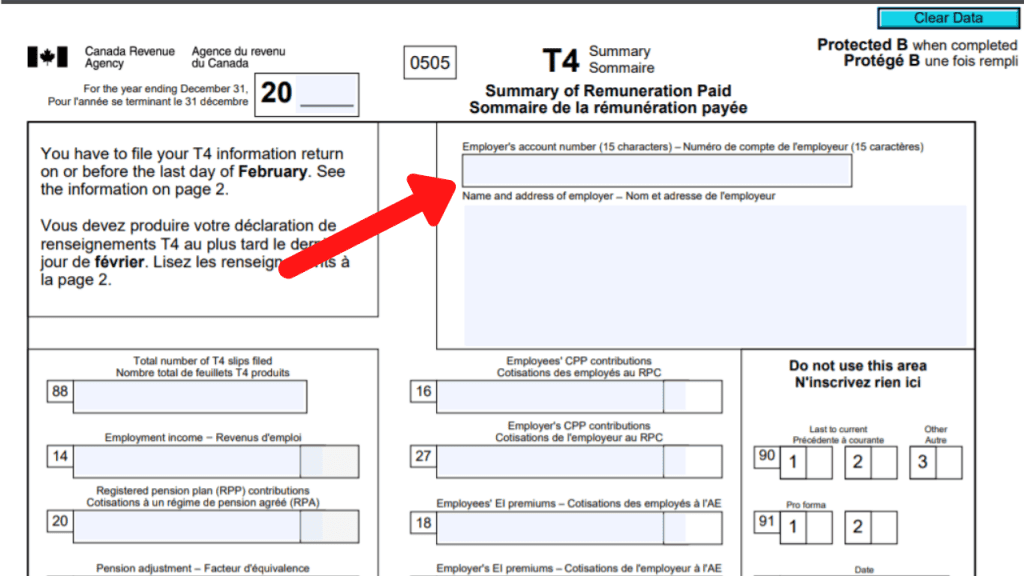
After verifying the data, compile your year-end reports, including T4 slips for employees and summaries for tax authorities. Compare these reports against your records to ensure consistency – this work will pay dividends when handling T4s/T4As/RL1s for your team.
Common Year-End Reporting Mistakes
Of course, year-end payroll reporting is prone to errors, leading to delays or fines you really don’t need at this point in the year — or ever.
One frequent mistake is incorrect tax calculations. Your business will certainly face penalties if you don’t accurately calculate payroll tax deductions, like CPP and EI contributions..
Another common pitfall is missing deadlines for issuing employees T4 slips and other required forms. Delays in reporting can incur CRA fines and create employee dissatisfaction. Set up reminders to ensure you’re on time.
Misclassification of employees is another frequent mistake. Misclassifying your employees as exempt or non-exempt impacts their pay, tax deductions, and eligibility for benefits. Reviewing job classifications and ensuring each employee is correctly designated is crucial.
We offer the tools you need to avoid these challenges altogether. With our automated tax calculations and reminders for important deadlines, we always keep you compliant and accurate.
Checklist for Finalizing Payroll Reports
To help you avoid those errors and payroll faux pas, here’s a checklist to help you stay on track:
Verify Earnings and Deductions: Ensure you’ve accurately recorded all earnings, including bonuses, commissions, and overtime, for each employee. Also, check deductions like retirement contributions and health benefits for accuracy.
Confirm Employee Information: Double-check each employee’s Social Insurance Number, address, and tax status. Correcting any errors here prevents issues with CRA and helps ensure accurate tax forms.
Ensure Tax Withholding Accuracy: Check federal and provincial withholding amounts to verify accuracy. Small errors in tax withholding can lead to significant adjustments down the line.
Generate and Review Reports: Generate T4 and other year-end reports. Compare these against payroll records for any discrepancies, ensuring totals match.
Review Payroll Summary: Confirm that all payroll summaries align with individual employee earnings. Use this step to catch any last-minute discrepancies.
Obtain Approval: Before submission, review all reports internally and obtain necessary approvals from management. This is especially important for large organizations with multiple departments in payroll processing.
Using PaymentEvolution for Easy Reporting
Okay, let’s be real: we know the payroll reporting process is tricky and confusing. But not to fear — we help you stay ready, so you don’t have to get ready.
We make your year-end payroll reporting super manageable with features tailored to compliance and accuracy. We have exactly what you need: automated tax calculations that eliminate errors and ensure your payroll aligns with federal and provincial requirements.
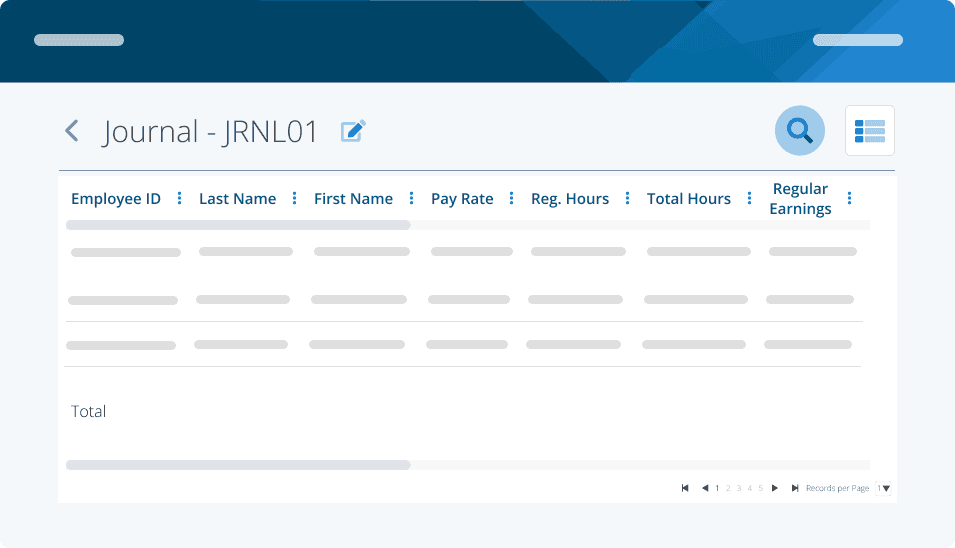
We also integrate with your accounting and tax software. This integration allows you to transfer data seamlessly between platforms, making maintaining consistent records across systems easier. By syncing your payroll information with your accounting software, you can prevent discrepancies and ensure that the data sent to CRA and other agencies is always accurate.
For those managing larger teams, we also offer customized reporting options that streamline data analyses. You can generate reports that break down employee earnings, taxes, and deductions for the entire year, making it easy to spot and resolve any inconsistencies. All this while you barely lift a finger. Cool, right?
And, of course, we provide automatic reminders for crucial filing deadlines. The reminders ensure that all your reports are issued and submitted on time, keeping you in line with regulatory requirements. With these tools, we help your business create accurate and compliant year-end reports without any unnecessary stress. We have your back!
Rounding up the Year
Year-end payroll reporting is more than a compliance task — it’s a commitment to accuracy, trust and peace of mind for you, your business and your team.
Today, you learned that with the right steps and with us on your side, you’re all set to minimize errors, meet every deadline and keep up with regulations. Now, you’re ready to close out the year with confidence, knowing your payroll is accurate, complete, and a testament to your commitment to excellence!
POV: It’s the end of October, you’re looking at the list of projects you hoped to finish this year and thinking, “This will just have to be next year’s problem…”
Been there, done that. But if there’s anything on that list you must do before the year ends, it’s preparing your year-end payroll reports. And when we say you “must” do this, we literally mean it — you have to do it as it ensures compliance with government regulations and guarantees accurate tax filings and earnings records. Preparing these reports can be tricky due to the sheer amount of data and the potential for errors, penalties and fines, especially with strict deadlines for submitting to the Canada Revenue Agency (CRA) and other agencies. Luckily for you, we have your back!
We’ve put together an easy-to-understand guide on year-end payroll reporting, complete with the best tips and tools to ease your stress.
The Step-by-Step Guide to Preparing Payroll ReportsCommon Year-End Reporting MistakesChecklist for Finalizing Payroll ReportsUsing PaymentEvolution for Easy ReportingRounding up the Year
The Step-by-Step Guide to Preparing Payroll Reports
Clear-cut and simple, here it is:
1) Gather Payroll Data
Start by gathering payroll data for each employee. This includes regular wages, overtime, commissions, and bonuses earned throughout the year. It’s also important to compile records of any deductions, like health insurance and retirement contributions. Ensure you include data from every payroll cycle and fix any discrepancies early.
2) Record Earnings and Deductions
Ensure that your payroll system accurately records each employee’s earnings and deductions. Earnings include all compensation, while deductions should reflect each employee’s tax status, benefits, and other withholdings. Reviewing these details now lets you catch any errors before they impact tax forms and employee records.
3) Confirm Employee Information
Double-check each employee’s personal information, such as Social Insurance Number, address, and tax withholding status. Incorrect information will lead to delays or costly reissues when you provide your tax forms.
4) Review Tax Compliance
Verify you’ve calculated payroll taxes according to federal and provincial requirements. Different provinces have distinct payroll tax regulations, so ensure you meet all requirements and your calculations align with recent CRA guidelines. Reviewing compliance ensures that deductions are accurate and helps you avoid any underpayment penalties.
5) Compile Year-End Reports
After verifying the data, compile your year-end reports, including T4 slips for employees and summaries for tax authorities. Compare these reports against your records to ensure consistency – this work will pay dividends when handling T4s/T4As/RL1s for your team.
Common Year-End Reporting Mistakes
Of course, year-end payroll reporting is prone to errors, leading to delays or fines you really don’t need at this point in the year — or ever.
One frequent mistake is incorrect tax calculations. Your business will certainly face penalties if you don’t accurately calculate payroll tax deductions, like CPP and EI contributions..
Another common pitfall is missing deadlines for issuing employees T4 slips and other required forms. Delays in reporting can incur CRA fines and create employee dissatisfaction. Set up reminders to ensure you’re on time.
Misclassification of employees is another frequent mistake. Misclassifying your employees as exempt or non-exempt impacts their pay, tax deductions, and eligibility for benefits. Reviewing job classifications and ensuring each employee is correctly designated is crucial.
We offer the tools you need to avoid these challenges altogether. With our automated tax calculations and reminders for important deadlines, we always keep you compliant and accurate.
Checklist for Finalizing Payroll Reports
To help you avoid those errors and payroll faux pas, here’s a checklist to help you stay on track:
Verify Earnings and Deductions: Ensure you’ve accurately recorded all earnings, including bonuses, commissions, and overtime, for each employee. Also, check deductions like retirement contributions and health benefits for accuracy.
Confirm Employee Information: Double-check each employee’s Social Insurance Number, address, and tax status. Correcting any errors here prevents issues with CRA and helps ensure accurate tax forms.
Ensure Tax Withholding Accuracy: Check federal and provincial withholding amounts to verify accuracy. Small errors in tax withholding can lead to significant adjustments down the line.
Generate and Review Reports: Generate T4 and other year-end reports. Compare these against payroll records for any discrepancies, ensuring totals match.
Review Payroll Summary: Confirm that all payroll summaries align with individual employee earnings. Use this step to catch any last-minute discrepancies.
Obtain Approval: Before submission, review all reports internally and obtain necessary approvals from management. This is especially important for large organizations with multiple departments in payroll processing.
Using PaymentEvolution for Easy Reporting
Okay, let’s be real: we know the payroll reporting process is tricky and confusing. But not to fear — we help you stay ready, so you don’t have to get ready.
We make your year-end payroll reporting super manageable with features tailored to compliance and accuracy. We have exactly what you need: automated tax calculations that eliminate errors and ensure your payroll aligns with federal and provincial requirements.
We also integrate with your accounting and tax software. This integration allows you to transfer data seamlessly between platforms, making maintaining consistent records across systems easier. By syncing your payroll information with your accounting software, you can prevent discrepancies and ensure that the data sent to CRA and other agencies is always accurate.
For those managing larger teams, we also offer customized reporting options that streamline data analyses. You can generate reports that break down employee earnings, taxes, and deductions for the entire year, making it easy to spot and resolve any inconsistencies. All this while you barely lift a finger. Cool, right?
And, of course, we provide automatic reminders for crucial filing deadlines. The reminders ensure that all your reports are issued and submitted on time, keeping you in line with regulatory requirements. With these tools, we help your business create accurate and compliant year-end reports without any unnecessary stress. We have your back!
Rounding up the Year
Year-end payroll reporting is more than a compliance task — it’s a commitment to accuracy, trust and peace of mind for you, your business and your team.
Today, you learned that with the right steps and with us on your side, you’re all set to minimize errors, meet every deadline and keep up with regulations. Now, you’re ready to close out the year with confidence, knowing your payroll is accurate, complete, and a testament to your commitment to excellence!
Get a 15-day free trial today,
no credit card required.
See why 20,000+ businesses trust PayEvo to handle their payroll, benefits management, and HR solutions every day.

No spam. Opt-out or cancel anytime.
Get a 15-day free trial today,
no credit card required.
See why 20,000+ businesses trust PayEvo to handle their payroll, benefits management, and HR solutions every day.
No spam. Opt-out or cancel anytime.