Amending your T4 and T4A Submissions
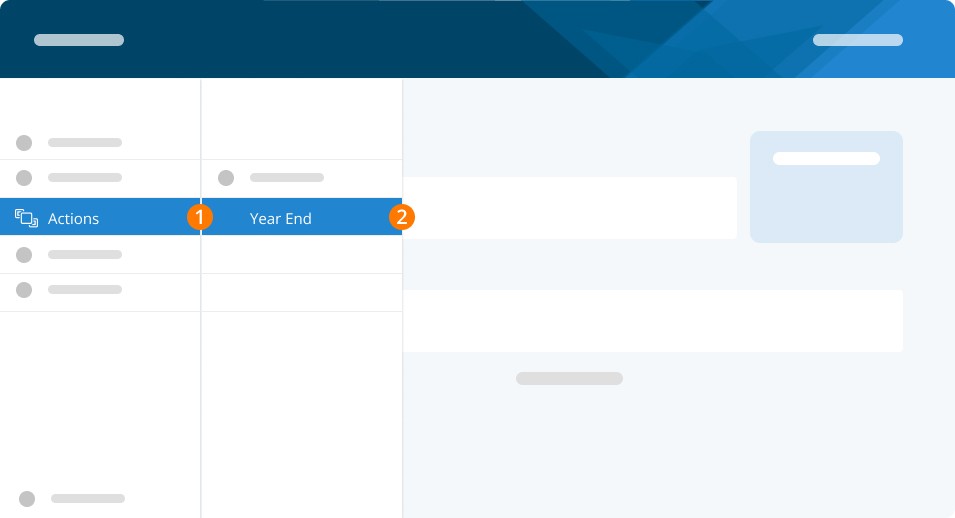
Step 1. To begin amending your T4s, go to Actions.
Step 2. Click Year End.
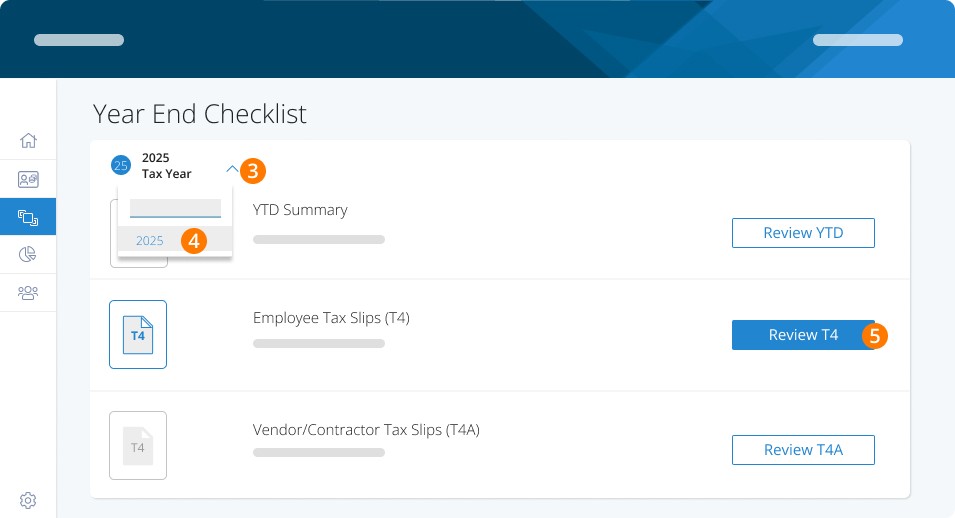
Step 3. Then click the arrow in the upper left of your Year End Checklist to select the correct year.
Step 4. Choose the Tax Year.
Step 5. Click Review T4/T4A. Then click View T4
Step 6. Use the three dots on the top right of the grid to Amend T4/T4A.
Hint: if you only to amend one slip you can choose the three dots to the far right on the employee line and choose to amend just that slip.
Step 7. Select Amend.
Step 8. Make your required changes, and when ready, click Approve Slip to proceed.
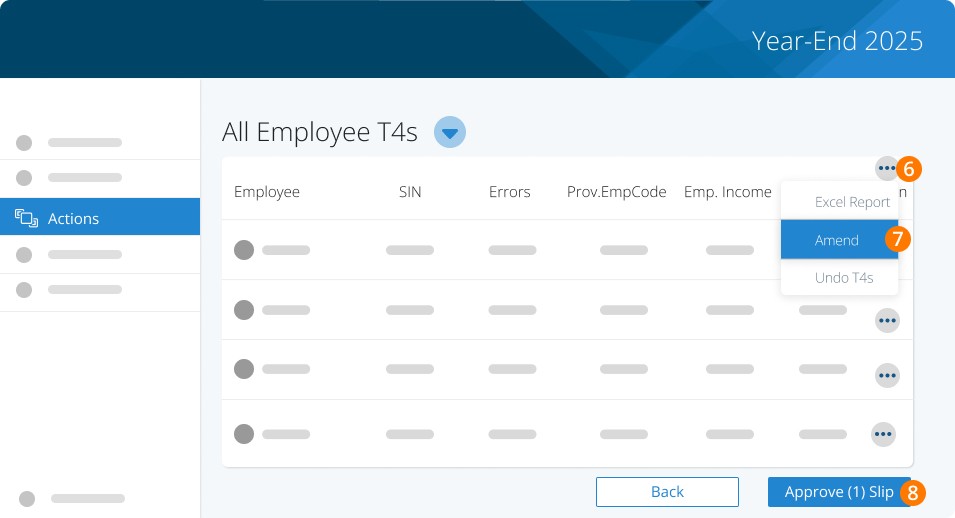
Note: If you did not submit your original slips you can undo them to put them back in the original state by clicking Undo T4s. This is only available if you did not use Auto Submission.
If you previously submitted your summary with the amount properly remitted to CRA enter 0.00 in the total received by CRA field. Submit to CRA via auto submission (ePay required, fee applies), online submission, or by mail. If not using auto submission enter your confirmation number or phrase to publish them to PayChequer again.
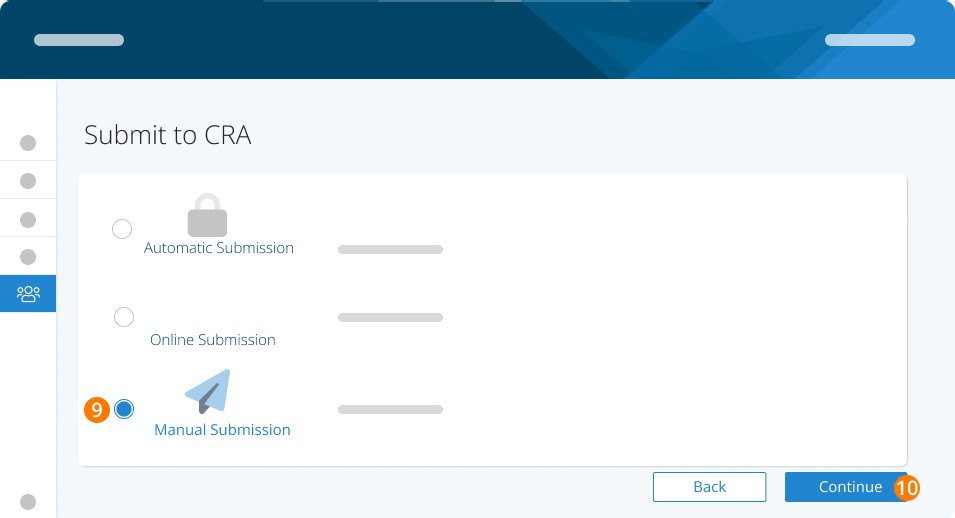
Step 9. Select your preferred submission method to CRA.
Step 10. Click on Continue.
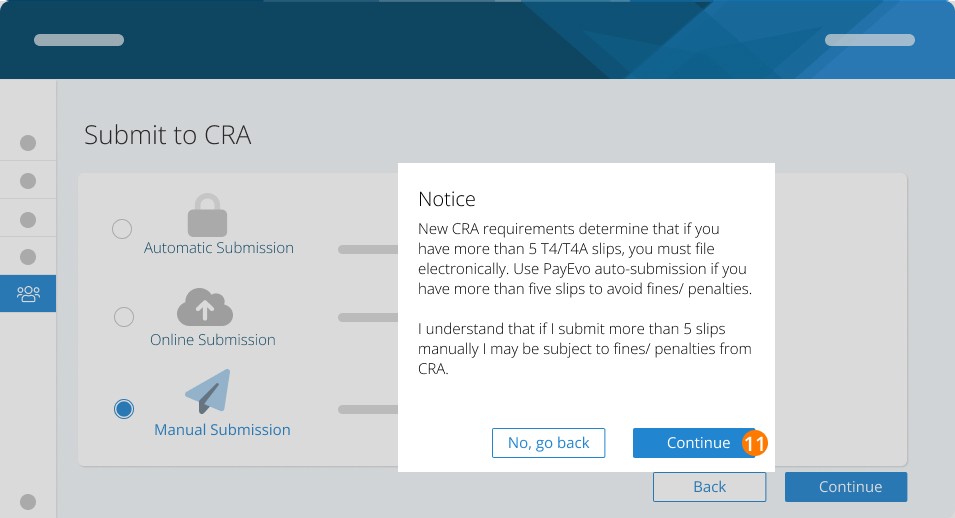
Note: If you choose manual submission and you have more than five slips, you may be fined by the CRA. You will see this message. In this case, we recommend Auto Submission. Once your T4s have been filed with CRA, Publish them to ensure employees have access to them through PayChequer.
Step 11. Read the notice and click on Continue.
You can then proceed to re-publish your slips for your employees.
Troubleshooting & FAQs
How can my employees access their amended slips?
Once finalized and published, your employees will be able to access their slips through PayChequer. Please note that when you begin an amendment, all employee slips are temporarily removed from PayChequer, to be re-published when you finish the amendment.
Keywords: T4, T4A, Amendment, Change Slips, Amended, Amend
396
Can't find what you are looking for? We can take a more direct look to help resolve your matter — Create Case or Contact Us